Professional Background Removal Service for Product & E-Commerce Photos

Graphic Experts India (GEI) provides a professional background removal service for e-commerce product photos, catalog images, and marketing visuals. Our team of 150+ certified Photoshop retouchers manually removes backgrounds from images using the pen tool, clipping paths, and advanced image masking techniques.


Each image is hand-edited in Adobe Photoshop. We do not rely on automated AI background removal tools. This manual approach ensures pixel-perfect edge accuracy on complex subjects such as hair, fur, jewelry, and transparent objects.

Background removal pricing starts at $0.39 per image. Standard turnaround time is 24 hours. Bulk orders qualify for volume discounts.

150+

Certified Retouchers

15+

Years in Business

24-Hour

Standard Delivery

Get Started With the FREE TRIAL
Background Removal Service

Expert Image Background Removal Company

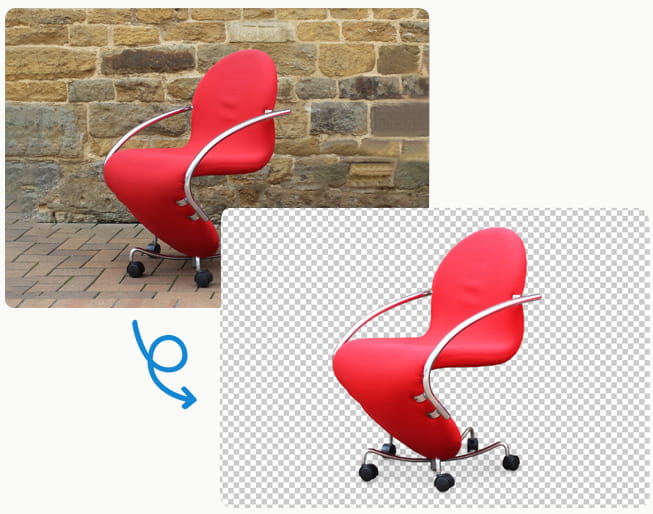
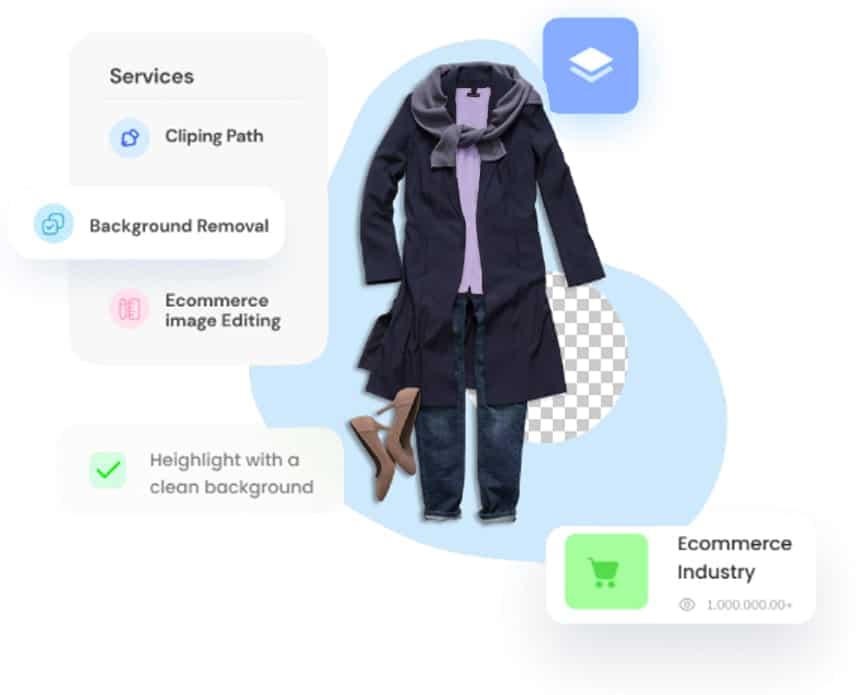
Background removal is the process of isolating a subject from its surrounding environment in a digital photograph. The technique separates the primary object—such as a product, person, or item—from the original backdrop and replaces it with a white background, transparent background, or custom color.

Graphic Experts India specializes in manual image background removal for commercial and professional applications. We serve e-commerce retailers, product photographers, advertising agencies, catalog publishers, and online marketplace sellers across the United States, United Kingdom, European Union, and Australia.


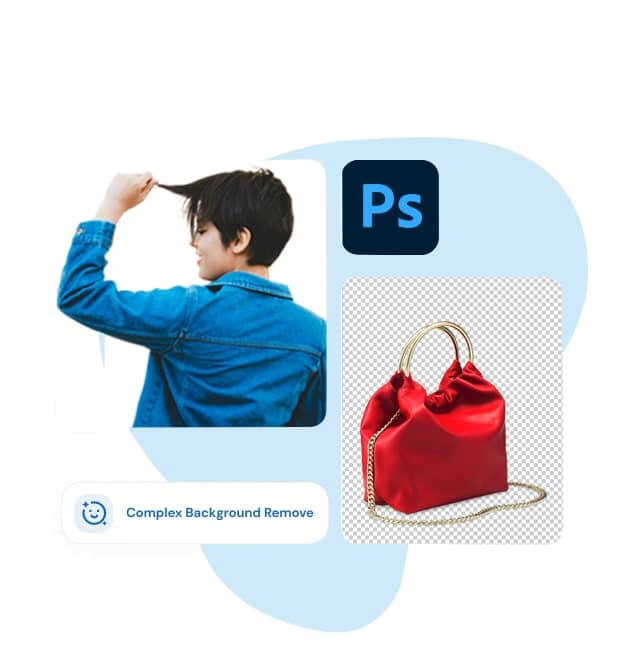
Our editors use Adobe Photoshop’s pen tool to create hand-drawn clipping paths around each subject. For subjects with complex edges—such as hair, fur, lace, mesh, or semi-transparent fabrics—we apply advanced image masking techniques including layer masking, alpha channel masking, and refine edge processing.


This combination of clipping path and image masking produces clean cutouts with smooth, natural edges that AI-based background removal tools cannot replicate consistently at scale.

Background Removal Services We Offer

Photo Background Removal

Photo Background Removal

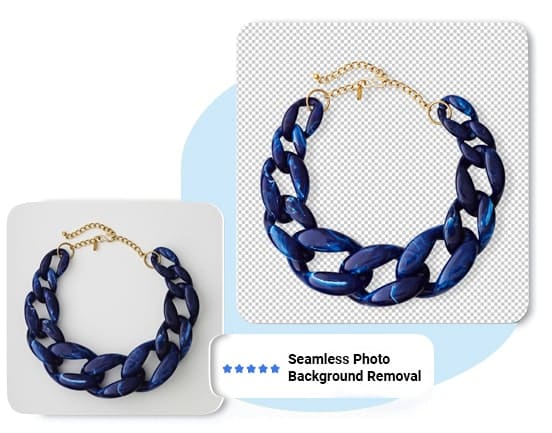
Photo background removal isolates the subject of any photograph from its original setting. Our retouchers manually trace around the subject using Photoshop’s pen tool, creating a precise clipping path. The original background is then deleted and replaced with the client’s specified output: pure white (#FFFFFF), transparent (PNG with alpha channel), or a solid custom color.

This service applies to product photography, portrait photography, lifestyle images, and studio shots. Output file formats include JPEG, PNG, TIFF, and PSD with embedded paths.

Background Color Change

Background Color Change

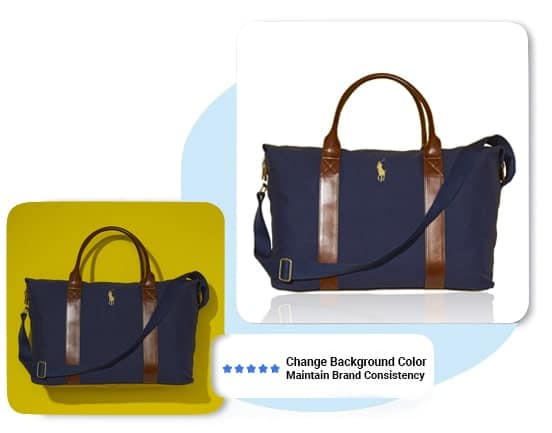
Background color change replaces the existing backdrop of an image with a different solid color, gradient, or custom design. This service is used by e-commerce retailers who need product images displayed on specific brand colors, or by marketplaces that require pure white (#FFFFFF) backgrounds per their image submission guidelines.

Amazon, eBay, Shopify, Walmart Marketplace, and Etsy each have specific background color requirements for product listing images. Our team ensures compliance with each platform’s technical specifications.

Background Replacement

Background Replacement

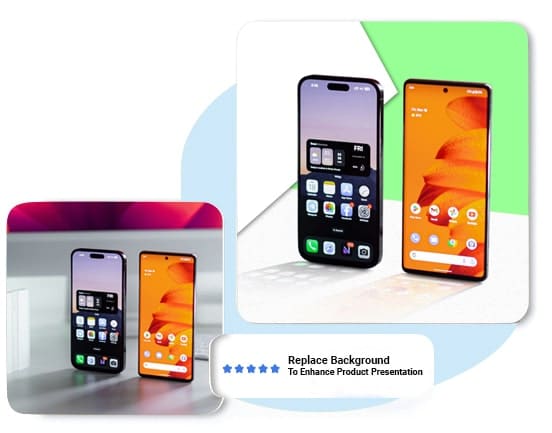
Background replacement removes the original backdrop and composites the subject onto a new background image or environment. This technique is used in advertising campaigns, real estate photography, fashion lookbooks, and social media content creation.

Each replacement is matched for lighting direction, color temperature, perspective, and shadow consistency to produce a photorealistic composite.

Background Object Removal

Background Object Removal

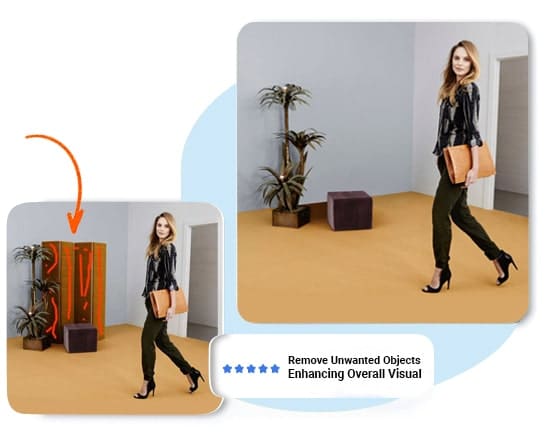
Background object removal eliminates unwanted elements from the background of an image without replacing the entire backdrop. This includes removing distracting objects, power lines, bystanders, logos, or imperfections visible behind the subject.

Retouchers use a combination of clone stamp, content-aware fill, and manual painting to reconstruct the background seamlessly after object removal.

Industries That Rely on Background Removal Services

E-Commerce Sellers

E-Commerce Sellers & Online Retailers

E-commerce background removal is the most common commercial application. Online retailers selling on Amazon, Shopify, eBay, Etsy, Walmart Marketplace, and independent webstores require product images with clean, distraction-free backgrounds. Amazon mandates pure white (#FFFFFF) backgrounds for main product listing images. Shopify recommends transparent or white backgrounds for consistent storefront presentation.

Professional product images with clean backgrounds increase click-through rates and reduce product return rates. Studies from marketplace analytics consistently show that product listings with professional white-background images outperform those with cluttered or inconsistent backdrops.

Professional Photographers

Professional Photographers

Product photographers, portrait photographers, and studio photographers outsource background removal to reduce post-production time. A single product shoot can generate hundreds of images requiring background editing. Outsourcing this repetitive task to a dedicated background removal service allows photographers to focus on shooting and client delivery.

We process batches of 10 to 10,000+ images per order. Our bulk background removal service handles large-volume assignments with consistent quality across the entire batch.

Marketing & Advertising Agencies

Marketing & Advertising Agencies

Agencies require background removal for advertising campaigns, social media content, print collateral, website banners, and catalog production. Agency workflows demand fast turnaround, consistent output quality, and the ability to scale volume during campaign launches.

GEI integrates into agency production pipelines with dedicated account management, custom style guides, FTP and cloud-based file transfer, and flexible scheduling for rush orders.

Apparel & Fashion Brands

Apparel & Fashion Brands

Fashion brands and apparel retailers combine background removal with ghost mannequin editing to create the invisible mannequin effect. This process removes the mannequin or model from clothing images, then composites front and interior views to display the garment’s shape and construction on a clean background.

Background removal for fashion images often involves complex edge work around fabrics, zippers, buttons, lace, and translucent materials. Our team uses layer masking and alpha channel processing to preserve fabric texture and edge detail.

Manual Photoshop Editing vs. AI Background Removal Tools

AI-powered background removal tools use machine learning algorithms to detect and separate foreground subjects from backgrounds automatically. These tools include Remove.bg, Adobe Firefly Background Remover, Canva Background Remover, and similar automated solutions. While AI tools process images quickly, they produce inconsistent results on complex subjects.

Manual background removal in Adobe Photoshop uses the pen tool to draw a precise vector path around the subject. A trained retoucher controls every anchor point, curve handle, and edge transition. This hand-drawn approach delivers superior accuracy on challenging subjects.


Feature Manual Photoshop Service (GEI) AI Background Removal Tool
Edge Accuracy Pixel-perfect. Hand-drawn paths follow exact subject contours. Approximate. Often leaves halos, jagged edges, or missed areas.
Complex Subjects (Hair, Fur, Lace) Handled with layer masking and alpha channel extraction. Preserves fine detail. Struggles with fine strands. Often clips or smudges delicate edges.
Transparent / Semi-Transparent Objects Manually adjusted opacity and masking preserve glass, mesh, and sheer fabrics. Cannot reliably detect transparency. Treats translucent areas as solid.
Batch Consistency Consistent output across 10 to 10,000+ images. QA team reviews every image. Variable results. Each image processed independently without cross-referencing.
Output Formats JPEG, PNG, TIFF, PSD with embedded clipping paths and layers. Typically PNG or JPEG only. No layered files or embedded paths.
Marketplace Compliance Images meet Amazon, Shopify, eBay, Walmart, and Etsy specifications. No built-in compliance checks. Manual review still needed.
Image Resolution No resolution limit. Processes high-resolution studio files (50+ MP). Many tools cap input resolution at 12–25 MP or reduce output quality.
Pricing From $0.39/image. Bulk discounts available. Free to $0.20/image for basic. Complex edits cost more.
Turnaround Standard 24-hour delivery. Rush options available. Instant for single images. Batch processing varies.

Why Background Removal Is Essential for E-Commerce

Product images are the primary driver of purchase decisions in e-commerce. Background removal transforms raw product photographs into clean, professional visuals that communicate quality and build buyer confidence.

Marketplace Compliance

Major online marketplaces enforce strict image guidelines. Amazon requires that the main product image have a pure white background (RGB 255, 255, 255). eBay recommends white or light-gray backgrounds for listing visibility. Shopify’s product photography guidelines recommend transparent or white backgrounds for storefront consistency. Non-compliant images risk listing suppression or removal.

Higher Conversion Rates

Product images with clean, distraction-free backgrounds isolate the subject and direct the viewer’s attention to the product. This visual clarity reduces ambiguity about product appearance, color, and detail. Clean background images consistently outperform cluttered or lifestyle-only images in A/B testing on e-commerce platforms.

Brand Consistency

A uniform background across all product images creates a cohesive visual identity for your online store or catalog. Consistent presentation across product categories reinforces brand professionalism and builds customer trust.

Increased Versatility

Once a product is isolated from its background, the cutout can be placed on any backdrop: white for marketplaces, branded colors for social media, lifestyle scenes for advertising, or transparent PNG files for web design composites. A single background removal produces a versatile asset usable across multiple channels.

Cost-Effective Production

Outsourcing background removal at $0.39 per image is more cost-effective than re-shooting products in controlled studio environments or hiring in-house retouchers. A dedicated service team processes images at scale while maintaining consistent quality across thousands of SKUs.

How Our Background Removal Process Works

Our background removal workflow follows a structured four-stage process designed for accuracy, consistency, and fast delivery.

A

Image Analysis

Each image is evaluated for subject complexity, edge type, and background characteristics. Simple subjects on solid backgrounds are routed for standard clipping path extraction. Complex subjects with hair, fur, transparency, or intricate edges are assigned for advanced image masking.

B

Subject Isolation

A certified Photoshop retoucher manually traces the subject using the pen tool to create a vector clipping path. For complex edges, the retoucher applies layer masking, alpha channel extraction, or the refine edge tool to preserve fine detail. No automated AI selection tools are used during this step.

C

Background Processing

The original background is removed. The new background is applied according to the client’s specifications: pure white (#FFFFFF), transparent (PNG alpha), custom solid color, gradient, or composite scene. Color correction and shadow adjustment ensure the subject integrates naturally with the new backdrop.

D

Quality Assurance & Delivery

Every edited image passes through a dedicated QA review before delivery. QA editors inspect edge accuracy, color fidelity, background uniformity, and file format compliance. Approved images are delivered in the requested format (JPEG, PNG, TIFF, or PSD) via secure download link, FTP, Dropbox, Google Drive, or WeTransfer. Standard turnaround time is 24 hours from order confirmation. Rush delivery options are available for time-sensitive projects.

Background Removal Service Pricing

SIMPLE

$0.39/photo

Solid subject, clean edges, uniform background (e.g., packaged products, bottles, boxes)

Start free trial

MEDIUM

$0.99/photo

Moderate edge complexity (e.g., shoes, handbags, electronics with cables)

Start free trial

COMPLEX

$1.99/photo

Moderate edge complexity (e.g., shoes, handbags, electronics with cables)

Start free trial

Bulk orders of 500+ images per month qualify for volume discounts. Contact our team for a custom pricing plan based on your image complexity mix and monthly volume.

All pricing includes QA review, unlimited revisions for specification compliance, and delivery in your requested file format.

Why Choose Graphic Experts India for Background Removal

Expert Graphic Designers

Experienced Graphic Designers

Our team of 150+ certified image editors brings extensive experience in product photography post-production. Each retoucher is trained in Adobe Photoshop clipping path, image masking, color correction, and shadow creation techniques. Ongoing training keeps our team current with the latest Photoshop tools and e-commerce image standards.

Hand-Drawn Editing — No AI Shortcuts

Every image is edited manually by a human retoucher. We do not use AI-based auto-selection or automated background removal tools in our production workflow.

This ensures pixel-perfect accuracy on every cutout, regardless of subject complexity.

E-Commerce Marketplace Compliance

Our production team is trained on the specific image requirements of Amazon, Shopify, eBay, Walmart Marketplace, Etsy, and other major platforms.

We format output files to meet each marketplace’s resolution, background color, file size, and format specifications.

Flexible Service Options

We accept orders ranging from a single image to ongoing contracts of 10,000+ images per month. File transfer options include direct upload, FTP, Dropbox, Google Drive, and WeTransfer.

Rush delivery, custom style guides, and dedicated account management are available for high-volume clients.

24/7 Customer Service

Our support team is available around the clock to handle order questions, provide status updates, and coordinate revision requests.

Live chat, email, and phone support are available across all time zones.

How to Order Background Removal in 4 Steps

A

Request a Free Trial or Quote

Start by submitting a free trial request or requesting a custom quote. Upload 2–3 sample images so we can assess complexity and provide accurate pricing. You will receive your trial edits or quote within 24 hours.

B

Review and Approve Your Quote

Review the pricing breakdown, turnaround time, and terms of service. Approve the quote to initiate production. For ongoing clients, we set up a standing style guide and pricing agreement.

C

Upload Your Images

Upload your images through our secure order form, FTP server, or cloud-sharing platform (Dropbox, Google Drive, WeTransfer). Include any special instructions, background color preferences, or output format requirements.free trial request or requesting a custom quote. Upload 2–3 sample images so we can assess complexity and provide accurate pricing. You will receive your trial edits or quote within 24 hours.

D

Receive Edited Images

Our Photoshop retouchers edit your images according to specifications. Every image passes QA review. Completed files are delivered through your preferred method within the agreed turnaround time. Revision requests are processed at no additional charge.

Frequently Asked Questions

What is background removal in photo editing?
Background removal is the process of isolating the main subject of a photograph and deleting or replacing the surrounding background. In professional photo editing, this is done manually using Adobe Photoshop’s pen tool (for clipping paths) and image masking techniques (for complex edges like hair and fur). The result is a clean cutout on a white, transparent, or custom-colored background.
Why is background removal important for e-commerce?
Clean product images with white or transparent backgrounds are required by major marketplaces like Amazon, Shopify, eBay, and Walmart. Professional background removal improves visual consistency, increases click-through rates on product listings, and reduces product return rates by giving customers an accurate view of the product.
How does your background removal process work?
We follow a four-step process: (1) Image analysis to assess subject complexity, (2) Manual subject isolation using Photoshop pen tool and masking, (3) Background replacement with the specified color or transparency, (4) Quality assurance review by a dedicated QA editor. Standard delivery is within 24 hours.
What types of images need professional background removal?
Product photos for e-commerce listings, portrait photographs, fashion and apparel images, jewelry and accessories, real estate interior and exterior photos, food photography, automotive images, and catalog production images. Any image requiring a clean, professional presentation benefits from background removal.
How long does it take to remove a background from an image?
Standard turnaround time at GEI is 24 hours from order confirmation. Rush delivery options are available for time-sensitive projects. The actual editing time per image ranges from 5 minutes for simple subjects to 37+ minutes for complex compositions with hair, fur, or transparent elements.
What file formats do you accept and deliver?
We accept JPEG, PNG, TIFF, PSD, RAW (CR2, NEF, ARW), and PDF files. We deliver in JPEG, PNG (with transparent background), TIFF, and PSD (with embedded clipping paths and layers). Output resolution matches or exceeds the input file resolution.
Why are AI background removal tools not ideal for professional use?
AI background removal tools use automated algorithms that produce inconsistent results on complex subjects. They frequently mishandle hair, fur, semi-transparent fabrics, reflective surfaces, and objects with colors similar to the background. AI tools also often reduce output resolution and cannot produce layered PSD files with embedded paths. For commercial product photography requiring marketplace compliance and consistent batch quality, manual Photoshop editing by trained retouchers delivers superior and more reliable results.
How much does professional background removal cost?
Background removal pricing at GEI starts at $0.39 per image for simple subjects with clean edges. Medium complexity images (shoes, electronics) start at $0.99. Complex subjects (hair, jewelry, transparent objects) start at $1.99. Bulk orders of 500+ images per month qualify for volume discounts. All pricing includes QA review and unlimited specification-based revisions.
Can you remove backgrounds from bulk image orders?
Yes. Our bulk background removal service processes orders from 10 to 10,000+ images. We maintain consistent quality across entire batches using standardized style guides, dedicated production teams, and multi-stage QA review. Volume pricing is available for regular monthly orders.
What is the difference between clipping path and image masking?
A clipping path is a vector outline drawn around a subject using Photoshop’s pen tool. It produces sharp, clean edges ideal for solid objects like boxes, bottles, and electronics. Image masking uses pixel-based selection techniques (layer masks, alpha channels, refine edge) to preserve soft, detailed edges on subjects like hair, fur, smoke, and semi-transparent fabrics. Professional background removal combines both techniques based on subject requirements.
Do you offer a free trial for background removal?
Yes. We offer a risk-free trial where you submit 2–3 sample images for professional editing at no cost. You receive the completed edits within 24 hours. This allows you to evaluate our quality, accuracy, and turnaround before committing to a paid order.
What marketplace image requirements do you comply with?
Our team follows the product image guidelines of Amazon (pure white #FFFFFF background, minimum 1000px longest side), Shopify (recommended white or transparent background), eBay (white or neutral background preferred), Walmart Marketplace (pure white background required for main image), and Etsy (clean, non-distracting backgrounds recommended). We format files to meet each platform’s resolution, file size, and color space requirements.

Related Professional Image Editing Services

Background removal is one component of a complete product photography post-production workflow. GEI offers a full suite of image editing services that complement background removal and support end-to-end production needs.

Image Cut Out Services

Clipping Path Service

Image Cut Out Services

Hand-drawn vector paths for precise subject isolation and multi-path color separation.

Shadow Creation Service

Shadow Creation Services

Natural drop shadows, reflection shadows, and original shadow recreation for product images.

Ghost Mannequin Editing

Service Image

Invisible mannequin compositing for apparel and fashion product photography.

E-Commerce Image Editing

Ecommerce Image Editing Services

Complete product photo post-production including cropping, resizing, background, and retouching.

Photo Retouching Service

Photo Retouching Services

Blemish removal, skin smoothing, object cleanup, and detail enhancement for commercial photography.

Start Your Background Removal Project a Free Trial

Experience our professional background removal quality before placing a paid order. Submit 2–3 sample images through our free trial form. Our retouchers will edit your images using the same manual Photoshop workflow applied to production orders.
Your trial images will be delivered within 24 hours, edited to your specifications, at no cost and with no commitment.

Get Free Trial
Remove Background
Background Removal
GEI Edits Photos for

Get Started With a FREE TRIAL

Experience the best Photoshop services with a risk-free trial. Test our unbeaten quality without any upfront commitment. Your expertly edited work will be returned to you within 24 hours.

Drag & Drop Files, Choose Files to Upload You can upload up to 5 files.
=