

Fashion apparel design software is any program used to sketch a garment, draft its pattern, simulate it on a body or generate it from a prompt before a physical sample is sewn.
The best fashion design software in 2026 depends on which of those four jobs a designer needs: CLO 3D leads for 3D garment simulation, Seamly2D is the highest-scoring free pattern-making option, and Adobe Illustrator is a general 2D tool with no fashion-specific features of its own.
This guide ranks 16 tools, from 3D clothing design software such as CLO 3D, Browzwear VStitcher and Marvelous Designer to free clothing design software such as Inkscape, Blender and Affinity, plus one AI entrant.
Each tool is profiled with the same seven fields, the ranking is computed from a scoring model shown in full, and the order is held provisional until prices are re-captured on publication day.
All vendor pages were read on 21 October 2026. Choosing software is one step of the larger process in How to Start a Clothing Brand in 2026.
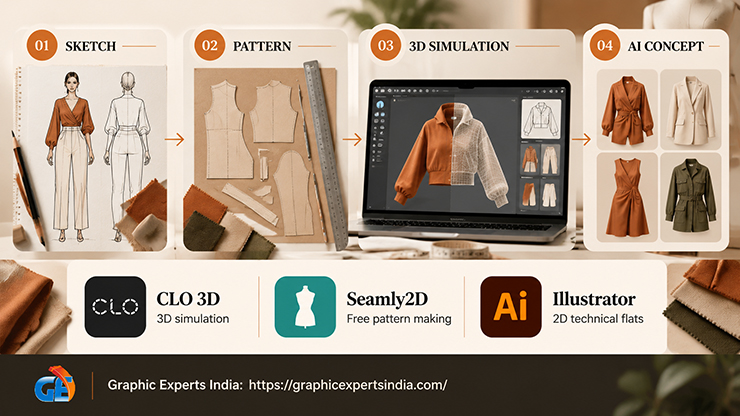
What Is Fashion Design Software at a Glance?
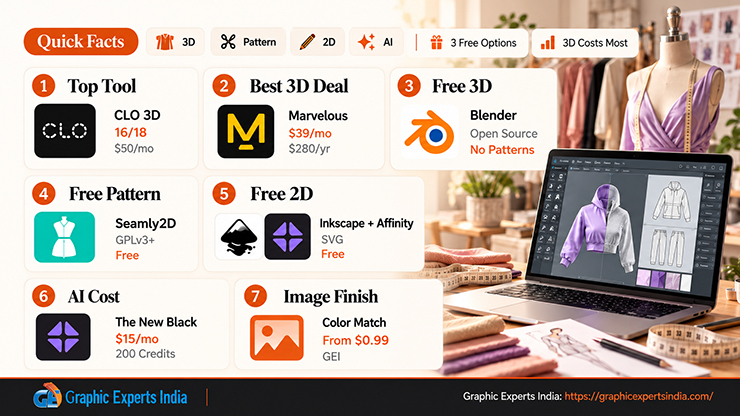
Fashion design software at a glance is four categories of tool, three of which have free options, with the 3D garment simulators carrying the highest monthly prices.
| Question | Short answer | Source |
|---|---|---|
| Which tool ranks first? | CLO 3D, with 16 of 18 points on the scoring model below; Individual plan $50 USD monthly or $450 USD yearly | support.clo3d.com, read 21 October 2026 |
| What is the cheapest 3D garment simulator? | Marvelous Designer Personal at $39 monthly or $280 for a one-year prepaid licence | support.marvelousdesigner.com, 5 August 2026 |
| Is there free 3D clothing design software? | Blender simulates cloth and is “free and open source. Forever.”; it has no pattern tools | blender.org, read 21 October 2026 |
| Is there free pattern-making software? | Seamly2D, “released under the GPLv3+ license as free and open-source software” | wiki.seamly.io, read 21 October 2026 |
| Which 2D tools are free? | Inkscape (SVG vector editor) and Affinity (“free for individuals”) | inkscape.org; affinity.studio, read 21 October 2026 |
| What does an AI fashion design tool cost? | The New Black Starter at $15/month with 200 credits | thenewblack.ai pricing page, read 21 October 2026 |
| How does a 3D render become a product image? | Color-matched to the physical sample and retouched; Graphic Experts India color correction from $0.99 per image | graphicexpertsindia.com |
Which Fashion Design Software Ranks Best in 2026?
The best fashion design software in 2026, on the scoring model described in the next section, is CLO 3D, followed by Browzwear VStitcher, Seamly2D and Marvelous Designer.
The full order and the key fields are below. Prices are each vendor’s own published figure read on 21 October 2026, and the order is provisional until those prices are captured again on the day of publication.
Five findings come out of the ranking.
- Three of the top four are 3D fashion design software, and the fourth, Seamly2D, is the only free tool with garment-specific features.
- Two free general tools, Blender and Inkscape, outscore Adobe Illustrator and Photoshop because they publish full format lists and cost nothing; neither has a fashion feature.
- The two industrial pattern systems, Lectra Modaris and Optitex, lose points only because they publish no price and no open documentation.
- The cheapest paid route into 3D garment design is Marvelous Designer at $280 prepaid for a year, or CLO 3D at $225 a year with a student discount.
- The one AI tool with a fetchable price, The New Black, costs $15 a month and produces tech packs but no simulated garments.
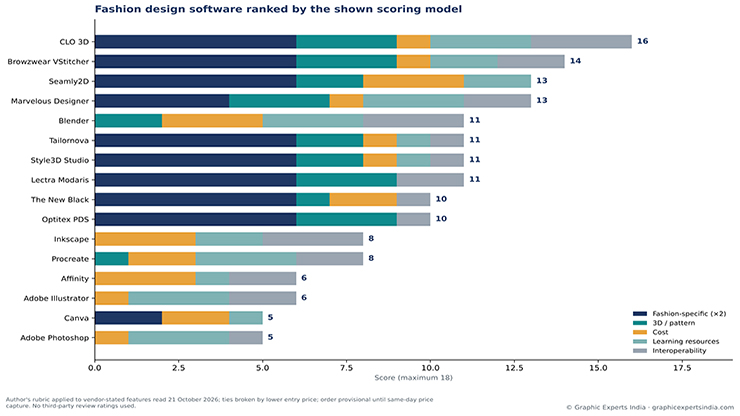
Figure 1. Sixteen fashion design tools ranked by the five-criterion score (maximum 18) described in the methodology section, with the contribution of each criterion. Scores apply the author’s rubric to vendor-stated features read on 21 October 2026; provisional until same-day price capture.
| Rank | Tool | Category | Platform | Free tier or trial (as stated) | Entry price (as stated, read 21 October 2026) | Score / 18 |
|---|---|---|---|---|---|---|
| 1 | CLO 3D | 3D simulation + pattern | Windows 11, macOS 14+ | “Start your 14-day free trial” | $50 USD monthly; $450 USD yearly (Individual) | 16 |
| 2 | Browzwear VStitcher | 3D simulation + pattern | Windows 10/11, macOS 15.4+ | No trial stated; Learner License for students “at no cost for a limited time” | “$75 a month or $750 for the year” (Freelancer, from February 2026) | 14 |
| 3 | Seamly2D | Pattern-making | Windows, Linux, macOS | Free, GPLv3+ | $0 | 13 |
| 4 | Marvelous Designer | 3D simulation + pattern | Windows 11, macOS 14+ | “14-day Free Trial License” | “$39 / monthly”; “$280 / one time payment” for one year (Personal) | 13 |
| 5 | Blender | 3D (general) | Windows, macOS (Apple Silicon), Linux | Free, GPL | $0 | 11 |
| 6 | Tailornova | Pattern-making + 3D preview (web) | Chrome browser | Not stated | “$49/mo” on the home page; “as low as $29/month” for personal use in the FAQ | 11 |
| 7 | Style3D Studio | 3D simulation | Mac and Windows (vendor blog) | “free plan and a 30-day trial” (vendor blog, January 2026) | “starts at $99 monthly” (vendor blog, March 2026) | 11 |
| 8 | Lectra Modaris | Pattern-making + 3D | Not stated | None stated | Subscription, 1- to 3-year commitment, no price published | 11 |
| 9 | The New Black | AI | Web | “Free credits at signup” | $15/month (Starter, 200 credits) | 10 |
| 10 | Optitex PDS | Pattern-making + 3D | Not stated | “Book a Demo” | No price published | 10 |
| 11 | Inkscape | 2D vector | Windows, macOS, Linux | Free | $0 | 8 |
| 12 | Procreate | 2D raster | iPad (iPadOS 16.3+) | None; “Pay once. No subscription.” | $12.99 one-time (US App Store) | 8 |
| 13 | Affinity | 2D vector + raster + layout | Windows, macOS; iPad “Coming soon!” | Free for individuals | $0; Canva AI tools need a Canva premium plan | 6 |
| 14 | Adobe Illustrator | 2D vector | Desktop, iPad, web | “7-day free trial” | US$22.99/mo, annual plan billed monthly | 6 |
| 15 | Canva | Templates (2D) | Any device (web) | Canva Free “US$0” | US$144 per year (Pro) | 5 |
| 16 | Adobe Photoshop | 2D raster | Desktop, web, mobile | “7-day free trial” | US$22.99/mo, annual billed monthly; US$263.88/yr prepaid | 5 |
How Were These Fashion Design Tools Ranked?
The tools were ranked by a five-criterion rubric scored from 0 to 3, with the fashion-specific criterion weighted twice because the article’s subject is fashion apparel design software, giving a maximum of 18 points.
No third-party review ratings were used: G2 and Capterra pages were not fetched for this guide, so no rating or review count appears here. Every input is a vendor statement read on 21 October 2026, and an editor can re-run the table with different weights.
The five criteria and their scoring rules are as follows.
- Fashion-specific features (×2). 3 = the vendor describes garment construction, fabric simulation or tech packs as a core function; 2 = garment simulation is a stated use but the product is marketed to a wider market; 1 = a general tool with one vendor-stated apparel use (for example a t-shirt template maker); 0 = general design tool.
- 3D or pattern capability. 3 = 2D pattern drafting plus 3D simulation; 2 = one of the two in full; 1 = partial (a 3D preview, painting on a 3D model, or tech-pack data without patterns); 0 = none.
- Cost. 3 = free to use; 2 = a usable paid tier at $20 a month or less, or a one-time price under $50; 1 = $20 to $100 a month; 0 = above $100 a month or quotation only.
- Learning resources. 3 = the vendor publishes an official manual or help centre and official tutorials, both reachable without a customer login; 2 = an official help centre or manual only; 1 = only a vendor blog or FAQ; 0 = no public documentation reachable.
- File interoperability. 3 = the vendor names both a 3D exchange format (OBJ or FBX) and a 2D CAD format (DXF or SVG); 2 = several named standard formats without that pairing; 1 = compatibility claimed without named formats; 0 = not stated on any fetched page.
Ties are broken by the lower published entry price, with free tools ranked above paid tools and tools with no published price ranked last within a tie. Scores are the author’s rubric applied to vendor-stated features; they are not measurements of quality, and they are held provisional until a same-day price capture on the publication date.
| Tool | Fashion-specific (×2) | 3D / pattern | Cost | Learning resources | Interoperability | Total / 18 | Tie-break price |
|---|---|---|---|---|---|---|---|
| CLO 3D | 3 (6) | 3 | 1 | 3 | 3 | 16 | $50/mo |
| Browzwear VStitcher | 3 (6) | 3 | 1 | 2 | 2 | 14 | $75/mo |
| Seamly2D | 3 (6) | 2 | 3 | 2 | 0 | 13 | $0 |
| Marvelous Designer | 2 (4) | 3 | 1 | 3 | 2 | 13 | $39/mo |
| Blender | 0 (0) | 2 | 3 | 3 | 3 | 11 | $0 |
| Tailornova | 3 (6) | 2 | 1 | 1 | 1 | 11 | $29–$49/mo |
| Style3D Studio | 3 (6) | 2 | 1 | 1 | 1 | 11 | $99/mo |
| Lectra Modaris | 3 (6) | 3 | 0 | 0 | 2 | 11 | not published |
| The New Black | 3 (6) | 1 | 2 | 0 | 1 | 10 | $15/mo |
| Optitex PDS | 3 (6) | 3 | 0 | 0 | 1 | 10 | not published |
| Inkscape | 0 (0) | 0 | 3 | 2 | 3 | 8 | $0 |
| Procreate | 0 (0) | 1 | 2 | 3 | 2 | 8 | $12.99 once |
| Affinity | 0 (0) | 0 | 3 | 1 | 2 | 6 | $0 |
| Adobe Illustrator | 0 (0) | 0 | 1 | 3 | 2 | 6 | $22.99/mo |
| Canva | 1 (2) | 0 | 2 | 1 | 0 | 5 | US$144/yr (Pro; free tier excludes most AI tools) |
| Adobe Photoshop | 0 (0) | 0 | 1 | 3 | 1 | 5 | $22.99/mo |
Two sensitivity notes apply. With the fashion criterion weighted once instead of twice, Blender rises to 11 of 15 and ties CLO 3D’s rivals, because its free price and complete format list outweigh its lack of garment tools.
With a learning-resources score of 2 for Lectra and Optitex, which keep their manuals behind customer logins, Lectra would rise to 13 and tie Marvelous Designer, ranking below it on the no-published-price tie-break, and Optitex would rise to 12. The published order is therefore one defensible reading of the inputs, not the only one.
What Are the Four Categories of Clothing Design Software?
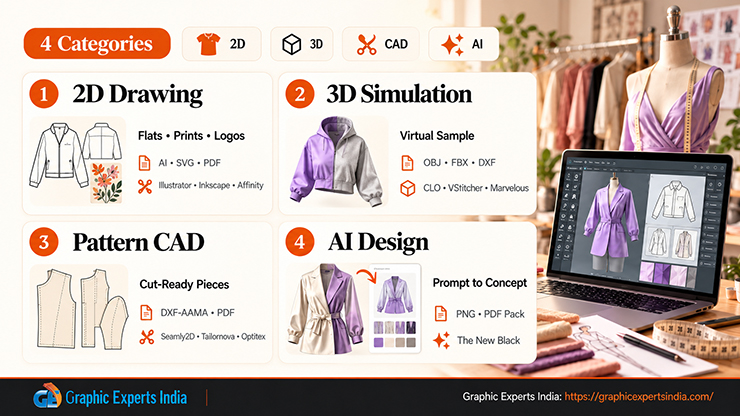
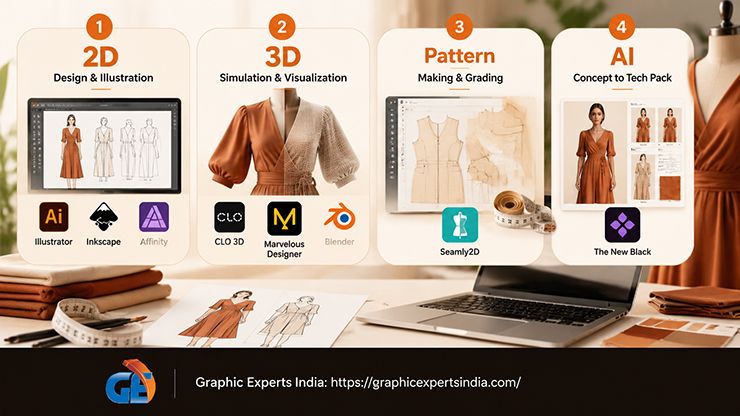
The four categories of clothing design software are 2D drawing tools, 3D garment simulators, pattern-making CAD, and AI generators, and most brands use at least two. The categories are defined by the file they produce: a flat sketch, a draped 3D garment, a cuttable pattern piece, or a generated image.
| Category | What it produces | Typical file outputs | Tools in this guide |
|---|---|---|---|
| 2D vector and raster drawing | Technical flats, prints, logos, mood boards | AI, SVG, EPS, PDF, PSD, PNG | Adobe Illustrator, Inkscape, Affinity (vector); Adobe Photoshop, Procreate (raster); Canva (templates) |
| 3D garment simulation | A virtual sample draped on an avatar, with fabric physics | OBJ, FBX, glTF, Alembic, USD, DXF patterns | CLO 3D, Browzwear VStitcher, Marvelous Designer, Style3D Studio, Blender (general cloth simulation) |
| Pattern-making CAD | Graded pattern pieces ready to cut | DXF-AAMA, DXF-ASTM, native CAD formats, PDF | Seamly2D, Tailornova, Lectra Modaris, Optitex PDS, plus the pattern modules inside CLO 3D, VStitcher and Marvelous Designer |
| AI fashion design | Generated designs, on-model images and tech-pack documents from a prompt or sketch | PNG, PDF tech packs | The New Black |
Digital fashion design software in the 2D category draws the garment as lines and fills. 3D clothing design software sews those lines into pattern pieces and simulates fabric on a body. Pattern-making CAD produces the only file a factory can cut from.
AI clothing design software, on the pages read for this guide, generates images and documents rather than sewable patterns, so CAD for fashion design still means the 3D and pattern-making categories.
What Is Each Fashion Design Tool Best For?
Each fashion design tool is profiled below in ranked order with the same seven fields, each taken from the vendor’s own pages. Vendor claims are attributed as claims.
What Is CLO 3D Best For?
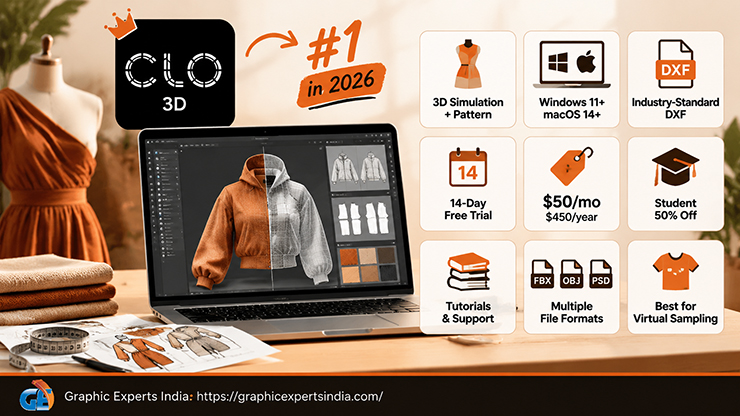
CLO 3D is best for a designer or small brand that needs 3D garment design software with industry-standard DXF pattern exchange and the most complete public documentation of the tools reviewed.
| Field | As stated by the vendor (read 21 October 2026) |
|---|---|
| Category | 3D simulation with 2D pattern drafting. |
| Platform | Windows 11 64-bit (24H2) minimum; macOS Sonoma 14 minimum, with Sequoia 15 and Tahoe 26 recommended (CLO system requirements, updated 20 October 2026). |
| Free tier or trial | “Start your 14-day free trial” (clo3d.com/pricing). |
| Entry price | Individual plan $50 USD monthly or $450 USD yearly; the pricing page shows “Yearly (Save 25%)”; students receive “a 50% discount from the Individual plan”, which is $25 monthly or $225 yearly (support.clo3d.com, read 21 October 2026). |
| Key capabilities as stated | the Individual plan is for “Hobbyist, Freelancer, Self-employed Individual, and One-person Company” users and includes “Online Tutorial”, “CLO Manual”, “Community Forums” and “CLO-SET CONNECT”. |
| File formats | FBX, OBJ and Alembic import and export; COLLADA import; “DXF-AAMA” and “DXF-ASTM” pattern import and export, which CLO describes as “the standard format of industry CAD patterns”; textures in JPG, PNG, TIF and PSD; PNG snapshots and AVI video export (CLO Help Center, 23 September 2026). |
| Best for | brands moving from paper patterns to virtual sampling who will send DXF files to a factory. |
CLO 3D ranks first because it is the only tool that scored 3 on fashion features, 3D and pattern capability, learning resources and interoperability at once. Its $50 monthly price costs it the cost point. Intel Macs lose support “starting with macOS 28, which will be released in 2027” (same system-requirements page).
What Is Browzwear VStitcher Best For?
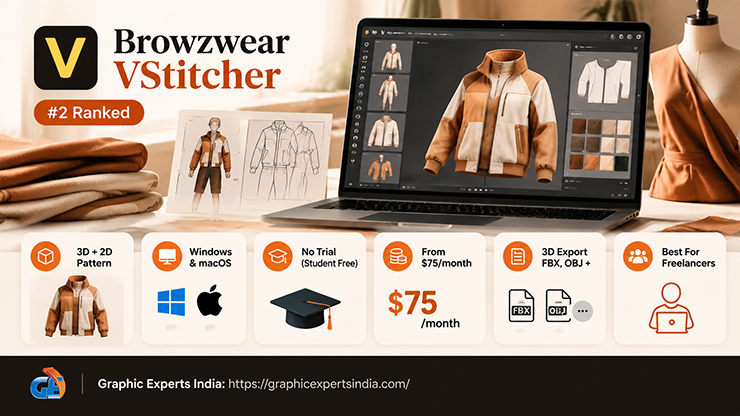
Browzwear VStitcher is best for a freelancer or small team that needs a 3D fashion design tool with a published monthly price and a route into an enterprise system used by larger brands.
| Field | As stated by the vendor (read 21 October 2026) |
|---|---|
| Category | 3D simulation with 2D pattern drafting. |
| Platform | “Windows 10 64-bit” minimum, Windows 11 recommended; “macOS 15.4 Sequoia or later” (help.browzwear.com, 25 August 2026). |
| Free tier or trial | no free trial is stated; a Learner License gives eligible students and recent graduates access “at no cost for a limited time”. |
| Entry price | Freelancer plan “Just $75 a month or $750 for the year”, self sign-up with a credit card; Freelancer Plus “$150 a month or $1,500 for the year”; Teams “$3,950 per user per year”, annual billing only (Browzwear blog, 9 February 2026, announcing plans launching that month). |
| Key capabilities as stated | Freelancer includes one Stylezone site, one VStitcher user, “Access to the latest VStitcher version”, local desktop rendering and community support; Teams adds Tech Pack, cloud rendering, “Limited render credits” and “Limited AI capabilities”. |
| File formats | 3D export as “Autodesk FBX (fbx)”, “Browzwear PBR FBX (fbx)”, “Browzwear 3D Object (bwo)”, “Datasmith (*.udatasmith)“,”GLTF v2 (gltf)“,”OBJ (obj)” and “V-Ray Scene (vrscene)”; FBX and OBJ import; texture import in JPG, PNG, PSD, TGA and TIFF (Browzwear Help Center, read 21 October 2026). No 2D CAD export format was found on the fetched pages. |
| Best for | freelancers who want the same software a brand’s development team may already use. |
VStitcher ranks second. It loses one learning point because only a help centre, not a manual, was fetched, and one interoperability point because no DXF statement was found. Tech packs sit in the Teams tier at $3,950 per user per year, not in the Freelancer tier.
What Is Seamly2D Best For?
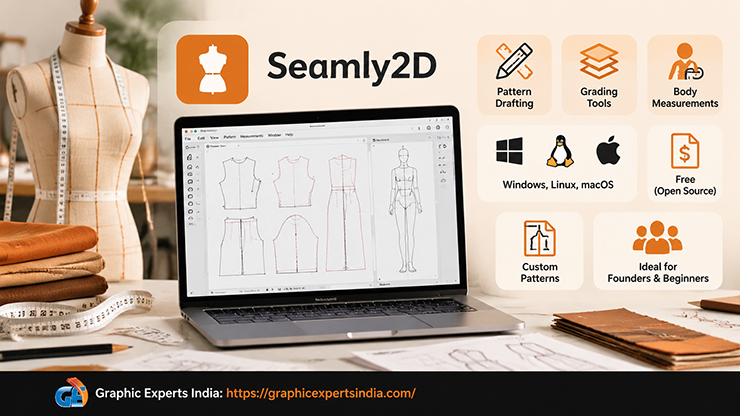
Seamly2D is best for a designer who needs free clothing design software for pattern drafting and grading, and who does not need 3D simulation.
| Field | As stated by the vendor (read 21 October 2026) |
|---|---|
| Category | Pattern-making CAD. |
| Platform | “Download Seamly Now for Windows, Linux, and MacOS.” (seamly.io, read 21 October 2026). |
| Free tier or trial | free; “Seamly2D and SeamlyMe are released under the GPLv3+ license as free and open-source software.” (wiki.seamly.io). |
| Entry price | $0. |
| Key capabilities as stated | “Seamly is open-source fashion design software”; the wiki describes Seamly2D for pattern drafting and SeamlyMe for body measurements that “enable patternmakers and tailors” to make custom-fit digital sewing patterns; “You have the right to use, sell, share, and distribute your patterns in any way you wish.” |
| File formats | not stated on the pages fetched; scored 0 and flagged for the editor. |
| Best for | founders drafting and grading their own first patterns before paying a factory for pattern work. |
Seamly2D ranks third on the model, above Marvelous Designer, because it scored the full 3 on fashion features and on cost while Marvelous Designer scored 2 on fashion features. The order would reverse if 3D simulation were weighted more heavily.
What Is Marvelous Designer Best For?
Marvelous Designer is best for an individual who wants the lowest-priced 3D clothing design software with full fabric simulation, and who may also sell designs into games, film or digital fashion.
| Field | As stated by the vendor (read 21 October 2026) |
|---|---|
| Category | 3D simulation with 2D pattern drafting. |
| Platform | Windows 11 64-bit (24H2) minimum; macOS Sonoma 14 minimum on Apple Silicon (System Requirements, 20 April 2026). |
| Free tier or trial | “14-day Free Trial License”. |
| Entry price | Personal Monthly Subscription “$39 / monthly”, “cancelable anytime”; 1 Year Prepaid License “$280 / one time payment” (Marvelous Designer Help Center, 5 August 2026). |
| Key capabilities as stated | the Personal licence is for “individuals, freelancers, hobbyists, and sole proprietors”; the help centre publishes a full user guide. |
| File formats | OBJ, FBX, Alembic and USD import and export; textures in JPG, PNG, TIF and PSD (Compatible File Format article, 6 January 2026). No DXF pattern format is listed on that page. |
| Best for | solo designers and digital-fashion creators who want simulation quality at the lowest annual cost. |
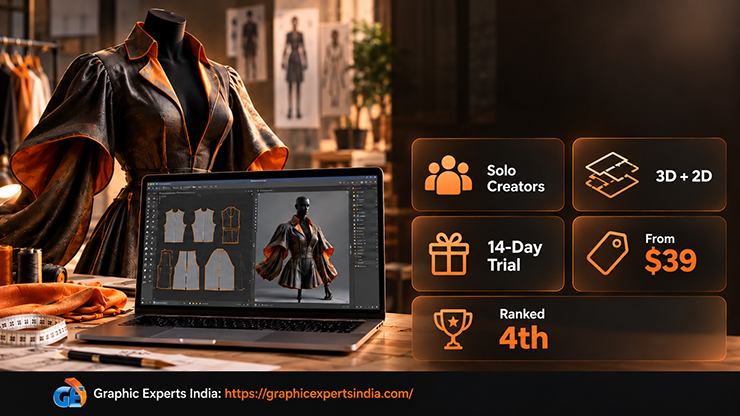
Marvelous Designer ranks fourth. Its help centre positions it for individuals and 3D artists rather than apparel production, which is why it scored 2 rather than 3 on fashion features. At $280 prepaid, it is the cheapest full 3D simulator in the set.
What Is Blender Best For?
Blender is best for a brand that wants free 3D fashion design software for rendering and cloth simulation, and already has pattern files from another tool.
| Field | As stated by the vendor (read 21 October 2026) |
|---|---|
| Category | General 3D modelling, simulation and rendering. |
| Platform | Windows (including ARM), macOS on Apple Silicon only, Linux; current release “v5.2.2 LTS”, “Released September 15, 2026” (blender.org/download). |
| Free tier or trial | “Blender is free and open source. Forever.” |
| Entry price | $0; licensed under the GNU General Public License. |
| Key capabilities as stated | “Amazingly realistic cloth simulations for clothing and environments” (blender.org/features/simulation). |
| File formats | the add-on manual lists “Wavefront OBJ”, “FBX”, “glTF 2.0”, “STL”, “Scalable Vector Graphics (SVG)” and “AutoCAD DXF” among others (Blender 2.83 manual; the current-version page could not be read on 21 October 2026). |
| Best for | rendering garments exported from CLO, VStitcher or Marvelous Designer, and animating them. |
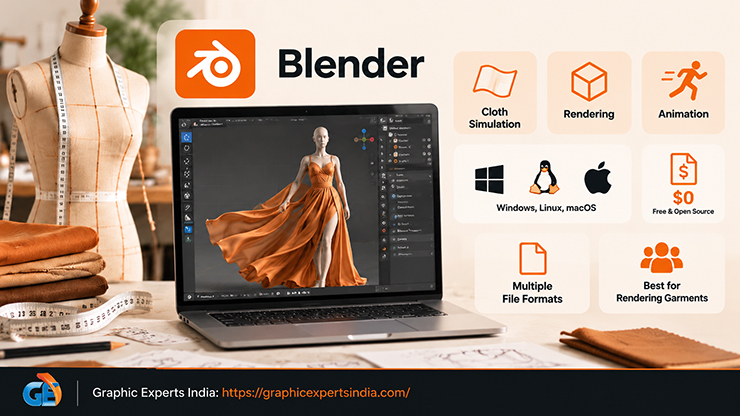
Blender ranks fifth with no fashion feature at all: a free price, a full manual and a long format list are worth 9 points on their own. Blender has no pattern drafting, grading or avatar sizing, so it extends garment software rather than replacing it.
What Is Tailornova Best For?
Tailornova is best for a beginner who wants to see a garment in 3D and download a cut-and-sew pattern from a web browser without installing anything.
| Field | As stated by the vendor (read 21 October 2026) |
|---|---|
| Category | Pattern-making with 3D preview, online. |
| Platform | “All you need is a Chrome browser and an Internet connection to start your fashion design journey.” (tailornova.com/faq). |
| Free tier or trial | not stated on the pages fetched. |
| Entry price | the home page lists a “Subscription price” of “$49/mo”; the FAQ states plans “as low as $29/month (for a personal use account)”. Both figures were read on 21 October 2026; the two pages disagree and the editor should capture the live price page. |
| Key capabilities as stated | “patent-pending online fashion design software”; patterns “ready to download, cut and sew”, printable “at home or on a plotter”. |
| File formats | not named; the home page refers to importing patterns “into CAD”. |
| Best for | first-time designers testing silhouettes before learning a full CAD tool. |
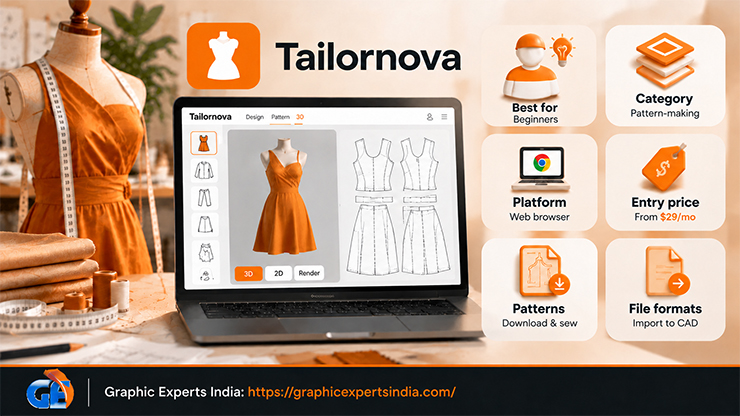
Tailornova ranks sixth. Its FAQ still states that menswear “is scheduled to be added in February of 2021”, so the page may be out of date.
What Is Style3D Studio Best For?
Style3D Studio is best for a team evaluating a CLO alternative with AI features, provided the team confirms the price directly, because the vendor’s own pages do not agree.
| Field | As stated by the vendor (read 21 October 2026) |
|---|---|
| Category | 3D simulation. |
| Platform | a vendor blog states it “works seamlessly on both Mac and Windows devices” (Style3D blog, 8 January 2026). |
| Free tier or trial | the January 2026 post states it “offers a free plan and a 30-day trial”; a March 2026 post refers only to a free trial. |
| Entry price | “Style3D cost starts at $99 monthly for basic 3D visuals, scaling to $180 pro for advanced features”, with “20 percent annual discounts on pro plans” for freelancers (Style3D blog, 13 March 2026). No price appears on the product pages. |
| Key capabilities as stated | Style3D Studio lets users “Create and validate lifelike 3D garments before physical sampling”; Style3D Fabric digitises “fabric texture and physical behavior”; Style3D Cloud manages assets across teams. |
| File formats | the blog says the Studio “handles all of these formats seamlessly” after naming OBJ, FBX and GLB generically; no product-page format list was fetched. |
| Best for | teams that want fabric digitisation and cloud review in one vendor and can obtain a written quote. |
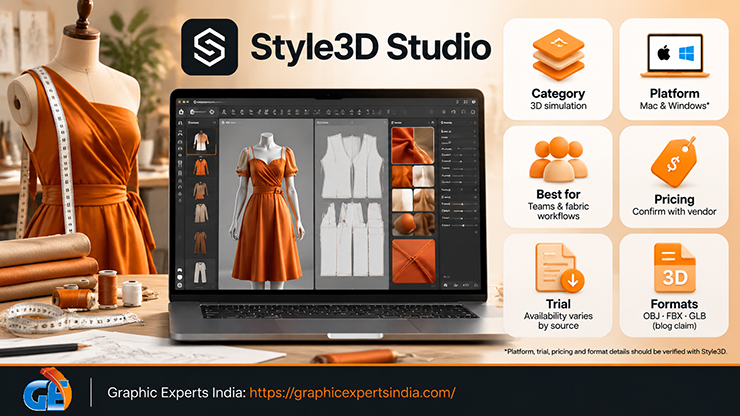
Style3D ranks seventh. Its learning and interoperability scores are 1 because only blog posts, not a manual or a format page, could be read.
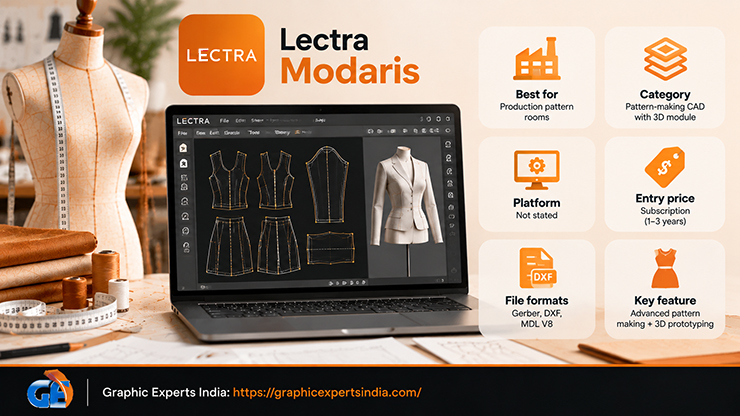
What Is Lectra Modaris Best For?
Lectra Modaris is best for a brand that works with factories already running Lectra or Gerber systems and needs industrial pattern-making and grading.
| Field | As stated by the vendor (read 21 October 2026) |
|---|---|
| Category | Pattern-making CAD with a 3D module. |
| Platform | not stated on the product page. |
| Free tier or trial | none stated. |
| Entry price | subscription licensing with commitments of 1 to 3 years; no price is published (lectra.com, read 21 October 2026). |
| Key capabilities as stated | “advanced software for fashion patternmaking and design”; “Create new patterns from existing pattern variants or from basic blocks.”; “Develop high-quality 3D prototypes with vast libraries of materials and colors”; Lectra claims Modaris Expert can “save up to 30% of pattern adjustment time with its powerful parametric capabilities”. Latest version listed: 2026.1. |
| File formats | the Pattern Converter add-on “converts Gerber AccuMark CAD (all versions before and including V16), DXF AAMA and DXF ASTM files into the MDL V8 format”. |
| Best for | production pattern rooms, not pre-launch founders. |
Modaris ranks eighth because the cost and learning criteria score 0 whenever a vendor publishes neither a price nor open documentation. The 30% time-saving figure is Lectra’s claim and is not independently verified.
What Is The New Black Best For?
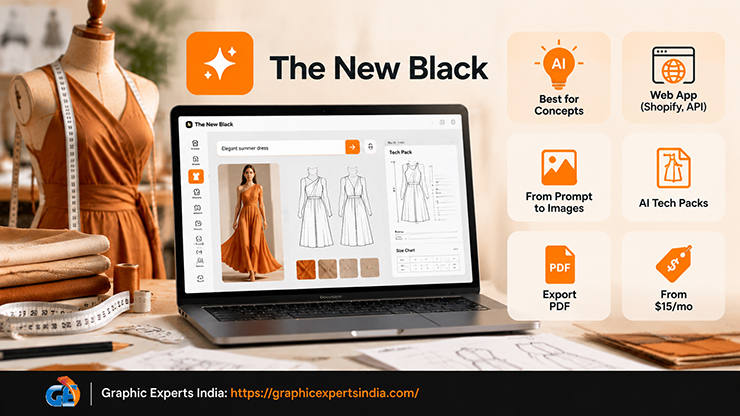
The New Black is best for a brand that wants AI fashion design software to generate concepts, on-model images and tech-pack documents from a prompt or a sketch.
| Field | As stated by the vendor (read 21 October 2026) |
|---|---|
| Category | AI. |
| Platform | web application, with a Shopify app, an API and a command-line interface listed. |
| Free tier or trial | “Free credits at signup” (thenewblack.ai home page). |
| Entry price | Starter $15/month with 200 credits; Pro $35/month with 500 credits; Business $65/month with 1,000 credits; Enterprise $195/month with 3,000 credits; “Billed monthly, cancel anytime”, with a yearly option offering “2 months free” (pricing page, read 21 October 2026). |
| Key capabilities as stated | designs created “from a prompt, a sketch or a reference image”; “Factory-ready tech packs filled by AI” with size charts, grading, bill of materials and flat sketches; ghost-mannequin and flat shots. |
| File formats | PDF export for tech packs; images. |
| Best for | concept boards and first tech-pack drafts, with every measurement checked by a human before a factory sees it. |
The New Black ranks ninth. It scored 1 on 3D and pattern capability because the pages read describe no simulated garment and no sewable pattern output; AI fashion design tools of this kind produce documents and images for review, not production files.
What Is Optitex PDS Best For?
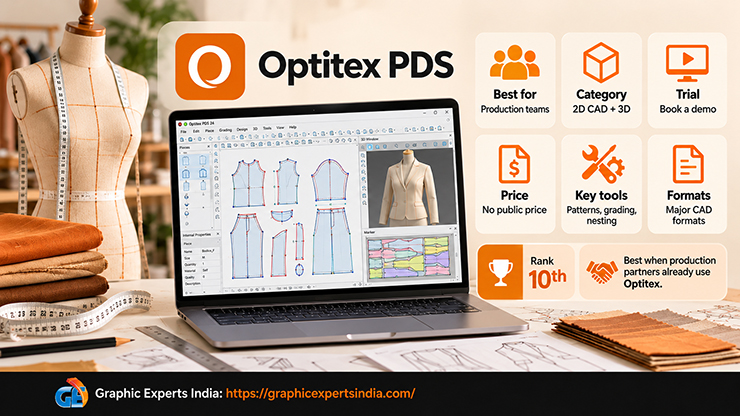
Optitex PDS is best for a brand that needs 2D pattern making, grading and marker nesting with a 3D module, and whose production partners already use Optitex.
| Field | As stated by the vendor (read 21 October 2026) |
|---|---|
| Category | Pattern-making CAD with 3D. |
| Platform | not stated on the public page; the help portal requires a customer login. |
| Free tier or trial | “Book a Demo” and a download form; no trial terms stated. |
| Entry price | no price published (optitex.com, read 21 October 2026). |
| Key capabilities as stated | 2D pattern making, grading and nesting; 3D to “Visualize true to life virtual samples in an innovative 3D digital environment”; a separate “3D Design for Illustrator” product. |
| File formats | “fully compatible with all major CAD formats”, without naming them. |
| Best for | production pattern teams and marker makers. |
Optitex ranks tenth for the same reasons as Lectra. Its Illustrator plug-in is the only vendor-stated bridge between a general 2D tool and 3D garment simulation found for this guide.
What Is Inkscape Best For?
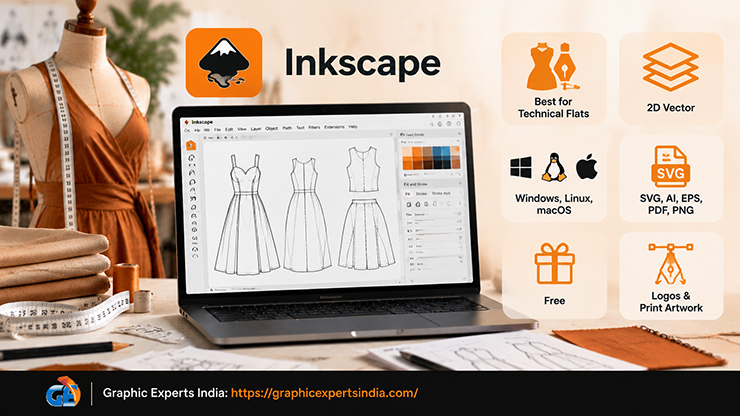
Inkscape is best for a founder who needs free fashion design software for technical flats, logos and print artwork in vector form.
| Field | As stated by the vendor (read 21 October 2026) |
|---|---|
| Category | 2D vector. |
| Platform | “Inkscape is a Free and open source vector graphics editor for GNU/Linux, Windows and macOS.” (inkscape.org/about). |
| Free tier or trial | free. |
| Entry price | $0. |
| Key capabilities as stated | “Inkscape uses the standardized SVG file format as its main format.”; official written tutorials are published on inkscape.org/learn. |
| File formats | “It can import and export various file formats, including SVG, AI, EPS, PDF, PS and PNG.” |
| Best for | drawing flats and screen-print separations without a subscription. |
Inkscape ranks eleventh and is the highest-placed general 2D tool because its format list is explicit and includes AI and EPS, the formats printers and factories most often request.
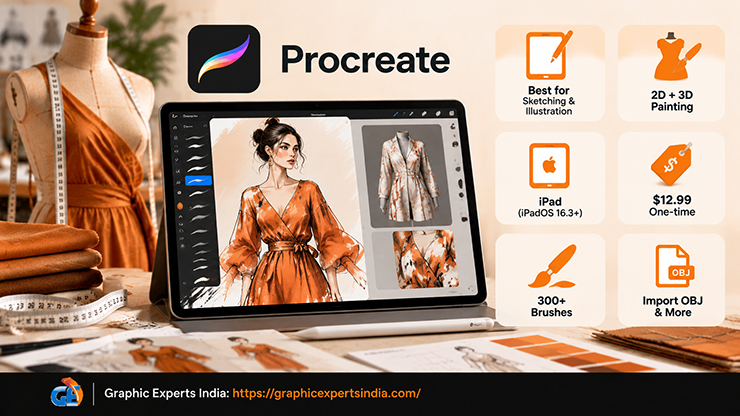
What Is Procreate Best For?
Procreate is best for sketching and fashion illustration on an iPad, including painting prints directly onto imported 3D garment models.
| Field | As stated by the vendor (read 21 October 2026) |
|---|---|
| Category | 2D raster, with 3D painting. |
| Platform | iPad; “Requires iPadOS 16.3 or later.” (US App Store, version 5.4.14). |
| Free tier or trial | none; “Pay once. No subscription.” |
| Entry price | $12.99 one-time on the US App Store, read 21 October 2026. |
| Key capabilities as stated | more than 300 brushes, QuickShape, StreamLine, Drawing Assist, time-lapse replay, and painting on 3D models; it “supports popular 3D file formats .USDZ and .OBJ”. |
| File formats | exports to .procreate, PSD, PDF, JPEG, PNG and TIFF (Procreate Handbook). |
| Best for | croquis sketches, mood boards and print design that moves into Photoshop or a 3D tool. |
Procreate ranks twelfth. It is the only tool in the set with a one-time price, and the OBJ import means a garment exported from CLO or Marvelous Designer can be painted on an iPad.
What Is Affinity Best For?
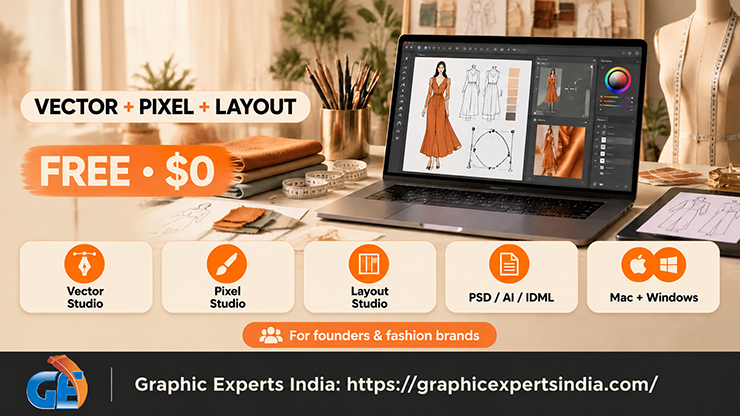
Affinity is best for a brand that wants a free desktop replacement for Illustrator and Photoshop in one application.
| Field | As stated by the vendor (read 21 October 2026) |
|---|---|
| Category | 2D vector, raster and layout. |
| Platform | macOS, “Runs natively on Apple silicon and Intel.”; Windows; iPad “Coming soon!” (affinity.studio, read 21 October 2026). |
| Free tier or trial | “Affinity is free for individuals (seriously).” |
| Entry price | $0; AI tools require a Canva premium plan: “If you’re on a Canva premium plan, you can unlock powerful AI tools directly in Affinity.” |
| Key capabilities as stated | Vector Studio for “Graphic design, digital illustration, logo creation, and more”; Pixel Studio; Layout Studio. |
| File formats | “Bring PSD, AI, IDML, DWG, and other file types into Affinity.” |
| Best for | founders who need vector flats and raster retouching without an Adobe subscription. |
Affinity ranks thirteenth. Its learning score is 1 because no manual or tutorial page could be fetched; the ranking would move it above Inkscape if the editor verifies official tutorials.
What Is Adobe Illustrator Best For?
Adobe Illustrator is best for technical flats, repeat prints and tech-pack drawings in the format most factories and print shops already request.
| Field | As stated by the vendor (read 21 October 2026) |
|---|---|
| Category | 2D vector. |
| Platform | “desktop, iPad and web”. |
| Free tier or trial | “7-day free trial”. |
| Entry price | “US$22.99/mo”, “Annual, billed monthly” (adobe.com, read 21 October 2026); the plan includes 100 GB of cloud storage and 25 monthly generative credits. |
| Key capabilities as stated | Adobe’s own learn page describes saving the native AI file, an EPS that print shops often prefer, a PDF, SVG options, and PNG or JPEG export. |
| File formats | AI, EPS, PDF, SVG, PNG and JPEG are named on Adobe’s save-and-export page; the full supported-formats article could not be read because it loads its content by script. |
| Best for | brands whose factory asks for AI or EPS flats and whose print supplier asks for vector separations. |
Illustrator ranks fourteenth on this model because it has no fashion-specific feature of its own; the Optitex plug-in described above is the fashion layer on top of it. Its documentation is complete, which is why it scores 3 on learning resources.
What Is Canva Best For?
Canva is best for a brand that needs a t-shirt design from a template today and a mock-up for social media, not a pattern or a technical file.
| Field | As stated by the vendor (read 21 October 2026) |
|---|---|
| Category | Template-based 2D design. |
| Platform | “Design from any device.” |
| Free tier or trial | Canva Free “US$0” per year for one person. |
| Entry price | Canva Pro “US$144” per year for one person (canva.com/pricing, read 21 October 2026). |
| Key capabilities as stated | “Canva’s online shirt design maker lets you create a t shirt design for free.”; “hundreds of ready-to-print, fully customizable templates”; printing through Canva Print. |
| File formats | not named on the t-shirt page beyond “Download or share designs easily.” |
| Best for | merch graphics and marketing visuals, with the file requirements of each print method checked separately. |
Canva ranks fifteenth. The template route is covered in the guide to how to start an online clothing store, where the listing images matter more than the design tool.
What Is Adobe Photoshop Best For?
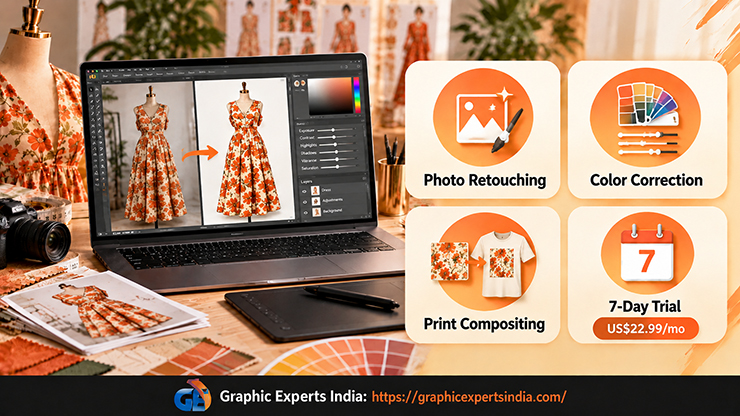
Adobe Photoshop is best for editing photographs of samples and renders, compositing prints onto garment photos and preparing product images, which is why it appears again in the production section below.
| Field | As stated by the vendor (read 21 October 2026) |
|---|---|
| Category | 2D raster. |
| Platform | “Photoshop on desktop, web, and mobile plus the Adobe Express Premium plan.” |
| Free tier or trial | “7-day free trial”. |
| Entry price | “US$22.99/mo”, “Annual, billed monthly”; “US$263.88/yr” prepaid (adobe.com, read 21 October 2026). |
| Key capabilities as stated | 100 GB cloud storage, 25 monthly generative credits, Generative Fill accessed with those credits. |
| File formats | Adobe’s format article could not be read; other vendors in this guide name PSD as an exchange format, including Procreate (“Export your artwork as an Adobe® Photoshop® file”) and CLO (textures in PSD). |
| Best for | retouching, color work and compositing; also the tool used to change clothes in a photo when a sample exists in one colorway only. |
Photoshop ranks last on this model because it has no garment features, no free tier and no fetchable format list. It remains the standard tool for the image work that follows design.
How Do Free and Paid Fashion Design Software Compare?
Free fashion design software covers 2D drawing, pattern drafting and general 3D simulation, while paid software is required for garment-specific 3D simulation with pattern exchange, and the gap between them over twelve months runs from $0 to $1,188.
The table converts each vendor’s stated price into a first-year cost so that the options can be compared on one line. Monthly plans are multiplied by twelve; prepaid annual prices are used where the vendor publishes one.
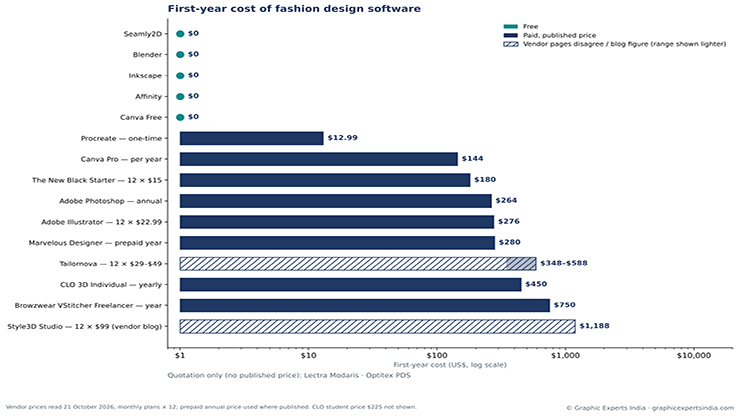
Figure 2. First-year cost of 16 fashion design tools from vendor prices read on 21 October 2026, monthly plans multiplied by 12 and prepaid annual prices used where published. Quotation-only vendors shown without a bar.
| Tool | Free tier or trial | Entry price as stated | 12 months on the monthly plan | 12 months prepaid or annual | Cheapest route to a year |
|---|---|---|---|---|---|
| Seamly2D | Free (GPLv3+) | $0 | $0 | $0 | $0 |
| Blender | Free (GPL) | $0 | $0 | $0 | $0 |
| Inkscape | Free | $0 | $0 | $0 | $0 |
| Affinity | Free for individuals | $0 | $0 | $0 | $0 |
| Canva | Free plan US$0 | Pro US$144/yr | not shown | US$144 | $0 on the free plan |
| Procreate | None | $12.99 once | $12.99 | $12.99 | $12.99 |
| The New Black | Free credits at signup | $15/month | $180 | yearly “2 months free” (price not shown) | $180 or less |
| Adobe Photoshop | 7-day trial | US$22.99/mo annual, billed monthly | $275.88 | US$263.88 prepaid | $263.88 |
| Adobe Illustrator | 7-day trial | US$22.99/mo annual, billed monthly | $275.88 | not shown | $275.88 |
| Marvelous Designer | 14-day trial | $39/month | $468 | $280 prepaid | $280 |
| CLO 3D | 14-day trial | $50 USD/month | $600 | $450 USD yearly | $450 ($225 with the student discount) |
| Tailornova | Not stated | $29–$49/month | $348–$588 | not shown | $348 if the FAQ price applies |
| Browzwear VStitcher | None stated | $75/month | $900 | $750 for the year | $750 |
| Style3D Studio | 30-day trial (blog) | $99/month (blog) | $1,188 | 20% annual discount claimed for pro plans | $1,188 at the stated basic price |
| Lectra Modaris | None | Quotation, 1–3 year commitment | — | — | not published |
| Optitex PDS | Demo | Quotation | — | — | not published |
Three figures from the table decide most purchases. A complete free stack, Seamly2D for patterns, Inkscape or Affinity for flats and Blender for rendering, costs $0 and gives up only garment-specific simulation. The cheapest paid 3D fashion design software for a year is Marvelous Designer at $280, which is $170 less than CLO 3D’s $450 and $470 less than VStitcher’s $750.
Paying monthly rather than annually costs an extra $150 on CLO, $188 on Marvelous Designer and $150 on VStitcher over twelve months. The design-software line sits inside the wider launch budget set out in how much it costs to start a clothing brand.
How Do You Start Designing Clothes with This Software?
To start designing clothes with this software, sketch on a figure template, redraw the design as a flat, draft a pattern, simulate the garment in 3D if the budget allows, and only then order a sample. The free and reversible steps come first.
- Sketch on a model template for fashion design. A fashion design model template, or croquis, is a proportioned figure outline drawn over in Procreate, Photoshop or on paper. CLO 3D, Marvelous Designer and VStitcher replace the template with a sized avatar.
- Redraw the design as a technical flat. A flat is a front-and-back line drawing with seams, stitching and closures, drawn in Illustrator, Inkscape or Affinity so that it scales. Factories read flats, not sketches.
- Draft the pattern. Seamly2D drafts from body measurements for free; Tailornova generates a downloadable pattern from a browser; CLO, VStitcher, Modaris and Optitex draft and grade patterns inside the same file as the 3D garment.
- Simulate before sampling. A 3D simulation shows drape, fit across sizes and fabric behaviour before fabric is cut. CLO’s trial runs 14 days and Marvelous Designer’s 14 days, long enough to test one garment.
- Write the tech pack. The tech pack carries the flat, measurements, grading, bill of materials and construction notes. VStitcher includes tech packs in its Teams tier; The New Black drafts one by AI; most small brands assemble theirs in Illustrator.
- Order the sample and photograph it. The physical sample, not the render, is what the customer receives; the next section covers the step from render to product image.
The production timeline that these six steps feed, from sampling to launch, is laid out in the clothing brand business plan guide.
How Do You Get from a 3D Render to a Store-Ready Product Image?
To get from a 3D render to a store-ready product image, the brand photographs the physical sample, matches the photograph’s color to the approved fabric, and retouches the image to the marketplace’s specification, because a render and a photograph are different objects with different color behaviour.
A render is a mathematical prediction of fabric and light; a photograph records a specific dye lot under a specific light. Mango’s first AI-generated campaign in 2024 followed the same logic: real garments were photographed, a generative model placed them on generated models, and the art team retouched the output (Mango pressroom, 10 July 2024).
Compositing a render or a print onto a photographed garment is an image manipulation task, which Graphic Experts India prices from $1.00 per image with a 24-hour average turnaround.
Why Does a 3D Render Differ from a Photographed Sample?
A 3D render differs from a photographed sample in color space, fabric behaviour and the body it hangs on. Renders are built in sRGB for screens, while printers work in another space. Printful states that direct-to-garment files should use “the sRGB color profile, specifically sRGB IEC61966-2.1” and that “Our printers then convert your submitted file into CMYK format” (printful.com, read 21 October 2026).
A printed garment therefore never matches the on-screen render exactly. Fabric drape in a simulator depends on the digitised fabric parameters, and a mill’s actual bolt differs in weight and hand from the library preset.
Zalando reported that about 70% of its editorial campaign assets were AI-generated in Q4 2024 using digital twins of real models, produced “in under 24 hours” (corporate.zalando.com, 7 May 2025). Levi’s note on its 2023 AI-model test states that “human models and collaborators are core to that experience” (levistrauss.com, 28 March 2023).
Google’s apparel best-practice page asks sellers to “Show clothing on models. Show how your product looks on a real person.” (Google Merchant Center Help). The choice between photographing a sample on a person, on a ghost mannequin or placing it on an AI model is compared in the guide to ghost mannequin vs on-model photography.
How Are Renders Color-Matched to Real Samples?
Renders are color-matched to real samples by correcting the sample photograph to the approved physical swatch, not by correcting the render, because the swatch is what the customer receives.
Graphic Experts India’s color correction service states: “Color matching ensures that a product’s color in the image accurately corresponds to a real-life sample”, using brand color references and Pantone specifications, and that “Color-accurate images reduce the gap between buyer expectation and delivered product.” The service is priced from $0.99 per image, with a 24-hour average turnaround and a three-step quality check.
The workflow for a brand that designed in 3D is to export the render’s color values as the target, photograph the sample under neutral light, and send both files for color correction so the listing image matches the swatch and the render’s intent at the same time. E-commerce retouching from $0.99 per image then removes dust, lint and wrinkles the simulator never showed.
What Do Designers Ask Most Often About Fashion Design Software?
For beginners, the best fashion design software is a free pair: Inkscape or Affinity for flats and Seamly2D for patterns, both at $0, followed by a 14-day trial of CLO 3D or Marvelous Designer once a first garment exists. Tailornova offers a browser-only route to a 3D preview and a pattern at $29 to $49 a month, as stated on its own pages on 21 October 2026.
Yes, with a limit. Blender is “free and open source. Forever.” and simulates cloth, but it has no pattern drafting or grading. Style3D’s own blog stated in January 2026 that Style3D Studio “offers a free plan and a 30-day trial”, while its March 2026 post quotes $99 monthly, so that free plan should be confirmed with the vendor. CLO 3D and Marvelous Designer offer 14-day trials, not free tiers.
Brands use CLO 3D, Browzwear VStitcher, Style3D Studio, Lectra Modaris 3D and Optitex 3D, all of which pair 2D patterns with simulation. CLO and VStitcher publish individual prices, $50 and $75 a month, and exchange patterns in DXF-AAMA and DXF-ASTM or FBX, OBJ and glTF; Lectra and Optitex sell by quotation to production teams.
AI tools can generate garment concepts, on-model images and draft tech packs from a prompt or sketch; The New Black states it produces “Factory-ready tech packs filled by AI” from $15 a month. On the pages read for this guide, no AI tool outputs a simulated garment or a graded sewing pattern, so a human pattern maker and a physical sample remain necessary before production.
Fashion design software costs from $0 to about $1,188 a year, as read on 21 October 2026. Free tools are Seamly2D, Blender, Inkscape and Affinity; Procreate is $12.99 once; Illustrator and Photoshop are about $264 to $276 a year; Marvelous Designer is $280 prepaid, CLO 3D $450, VStitcher $750 and Style3D $99 a month by its own blog. Lectra and Optitex publish no price.
Where Can a Clothing Brand Get Renders and Samples Matched to Store-Ready Images?
A clothing brand can send its sample photographs, along with the 3D render or Pantone reference used in design, to Graphic Experts India and receive color-matched, marketplace-ready product images.
Graphic Experts India lists color correction from $0.99 per image, image manipulation from $1.00 per image, e-commerce retouching from $0.99 per image, background removal from $0.39 per image and ghost mannequin editing from $1.49 per image, each with a 24-hour average turnaround and a three-step quality check.
The company has served e-commerce retailers, photographers and apparel brands since 2009. A free trial on sample images, with no credit card required, is available through the color correction services page.

Salim Ahmed is the CEO of Graphic Experts India, with over 25 years of expertise in photo editing, clipping path, image retouching, and eCommerce image editing services.