

You cannot add images to Amazon’s plain product description field — it renders text only. To show images in the description area, you use A+ Content, Amazon’s module-based section available to brand-registered sellers, which replaces the plain description with image-and-text modules.
This is the clarification most sellers need: the images that look like they are “in the description” on big-brand listings are A+ Content, not the text description field. This guide explains the distinction and how to add images each way.
The plain description and A+ Content are different systems with different rules, and mixing them up wastes hours. For where listing images live overall, see Amazon Product Image Requirements 2026.
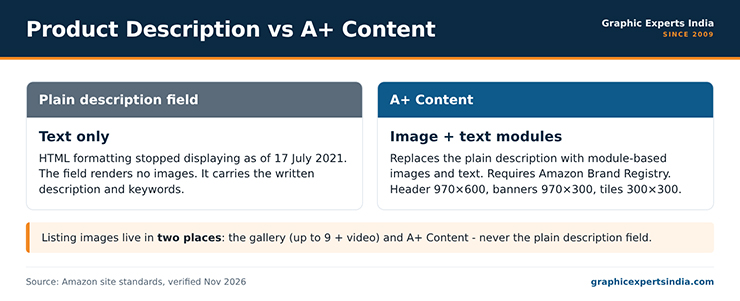
Figure 1. The plain description field versus A+ Content.
Can you add images to the Amazon product description?

No. The plain product description field accepts text only and does not render images. Amazon stopped displaying HTML formatting in product descriptions as of 17 July 2021, so the old workaround of embedding image tags in the description no longer works. A seller who pastes image code into the description field will see it stripped to plain text or ignored.
Images on an Amazon listing live in two places instead: the image gallery, which holds the main image and up to eight alternates plus a video, and A+ Content, which adds image-and-text modules below the main listing details.
The description field’s job is now purely textual — it carries the written description and keywords, not pictures.
What is A+ Content and who can use it?

A+ Content is Amazon’s enhanced description section, built from pre-set modules that combine images, text and comparison tables. It replaces the plain text description on the detail page with a richer, visual layout.
A+ Content is available to sellers enrolled in Amazon Brand Registry — brand owners, and the agencies they approve — so it requires a registered trademark or an application in progress through Amazon’s IP Accelerator.
A+ Content is where the “images in the description” that sellers see on established listings actually come from. If your goal is pictures and formatted text below the gallery, A+ Content is the tool, and Brand Registry is the prerequisite. Without Brand Registry, the listing shows the plain text description and the gallery only.
How do you add images with A+ Content?

You add A+ Content from Seller Central under the Advertising or Catalog menu, in the A+ Content Manager. Create a content plan, choose the modules you want, upload an image into each module’s image slot, add the accompanying text, and submit the content for Amazon’s review.
Approved A+ Content appears on the detail page in place of the plain description, usually within a few days of approval.
Each module has a fixed image size, so the image must be built to the module’s dimensions rather than reused from the gallery.
Common A+ module sizes include a 970 × 600-pixel header image, 970 × 300-pixel banners, and 300 × 300-pixel feature tiles. Build each module image to its exact slot size, because A+ images that are the wrong dimensions are cropped or rejected.
What image specs does A+ Content use?
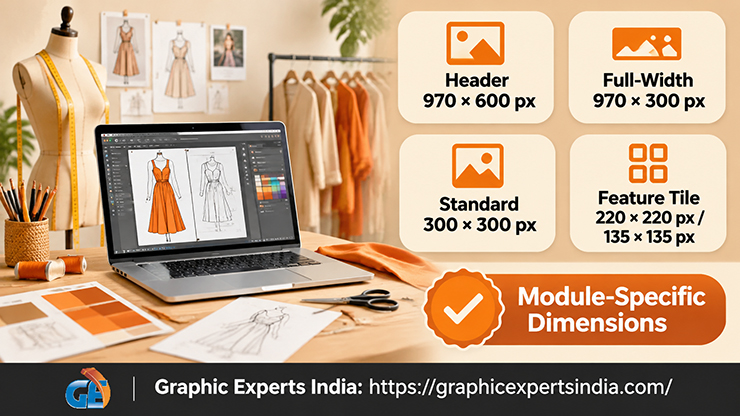
A+ Content images follow module-specific dimensions rather than the gallery’s single standard. The table below lists the common module sizes; the exact set depends on which modules you choose in A+ Content Manager.
| A+ module image | Dimensions |
|---|---|
| Header image | 970 × 600 px |
| Full-width banner | 970 × 300 px |
| Standard image | 300 × 300 px |
| Feature tile (three/four up) | 220 × 220 px or 135 × 135 px |
Because A+ images carry text and graphics by design, they are closer to the listing’s infographic images than to the plain gallery shots. Build them from the same source photography so the A+ section matches the gallery visually, rather than looking like a separate set.
Gallery images versus A+ Content images
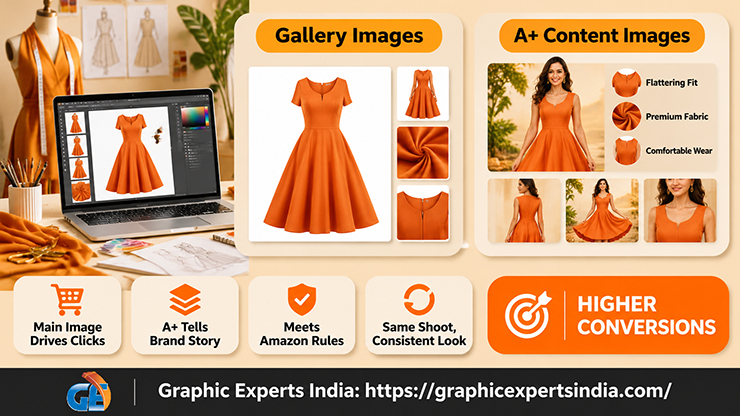
The gallery and A+ Content serve different jobs and follow different rules, and a listing needs both. The gallery’s main image is bound to the pure-white, product-only standard and wins the click in search; the alternates explain the product.
A+ Content sits lower on the page, uses module-sized image-and-text blocks, and tells the brand-and-benefit story to a shopper who has scrolled past the gallery. One is a compliance-strict shop window; the other is a formatted brochure. Both draw from the same product shoot, which keeps the listing visually consistent.
How Graphic Experts India builds description and A+ images
A+ modules need images cut precisely to each module’s dimensions, and that sizing is routine work for Graphic Experts India.
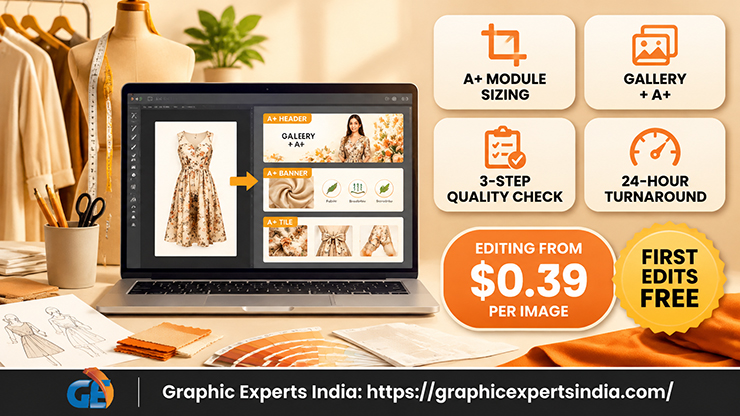
The same master shoot that produces the gallery is edited into module-sized A+ images — header, banner and tile — so the A+ section matches the gallery rather than clashing with it. eCommerce image editing covers the gallery and the A+ modules from one brief.
Editing starts at $0.39 per image, turnaround averages 24 hours, every file clears a three-step quality check, and the first edits are free with no credit card.
Graphic Experts India has produced marketplace listing and A+ imagery since 2009. To manage the gallery images themselves, see How to Upload, Change, Reorder and Delete Amazon Product Images in Seller Central.
Frequently asked questions
No. The plain description field renders text only, and Amazon stopped displaying HTML formatting in descriptions as of 17 July 2021. To show images in the description area, use A+ Content, which replaces the plain description with image-and-text modules for brand-registered sellers.
The plain description is a text-only field for the written description and keywords. A+ Content is a module-based visual section that adds images, formatted text and comparison tables below the listing details, available only to sellers enrolled in Amazon Brand Registry.
Sellers enrolled in Amazon Brand Registry — brand owners with a registered trademark, or one in progress through Amazon’s IP Accelerator, and the agencies they approve. Sellers without Brand Registry see only the plain text description and the image gallery.
A+ images are module-specific. Common sizes are a 970 × 600-pixel header, 970 × 300-pixel banners, and 300 × 300 or smaller feature tiles. Build each image to its module’s exact dimensions, because wrong-sized A+ images are cropped or rejected.
In two places: the image gallery, which holds the main image plus up to eight alternates and a video, and A+ Content modules below the listing details. The plain text description holds no images.

Salim Ahmed is the CEO of Graphic Experts India, with over 25 years of expertise in photo editing, clipping path, image retouching, and eCommerce image editing services.