

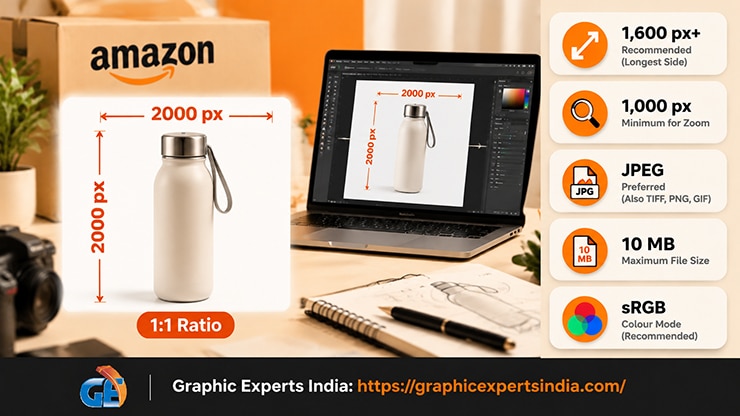
The best Amazon product image size is at least 1,600 pixels on the longest side, in a 1:1 square, saved as a JPEG under 10 MB in sRGB color. The one spec that matters most is the longest side: an image needs 1,000 pixels there to enable zoom, and Amazon recommends 1,600 pixels or more.
This guide is the full specification sheet — every pixel, ratio, megabyte and color-mode rule — so your files upload and zoom the first time.
Getting the size wrong is a silent failure. An image under 1,000 pixels still uploads and displays, but zoom is switched off, and shoppers who cannot zoom convert worse.
For the complete rule set beyond size, see Amazon Product Image Requirements 2026.
Amazon image specifications at a glance

| Spec | Amazon’s value |
|---|---|
| Minimum for zoom | 1,000 px on the longest side |
| Recommended size | 1,600 px or larger on the longest side |
| Common square size | 2,000 × 2,000 px |
| Absolute minimum accepted | 500 px on the longest side (no zoom) |
| Maximum size | 10,000 px on the longest side |
| Maximum file size | 10 MB |
| Aspect ratio | 1:1 (square) most common; 5:1 widest allowed |
| File formats | JPEG (preferred), TIFF, PNG, GIF (non-animated) |
| Color mode | sRGB or CMYK |
| Resolution | 72 dpi minimum (does not affect on-screen zoom) |
What pixel dimensions does Amazon require?
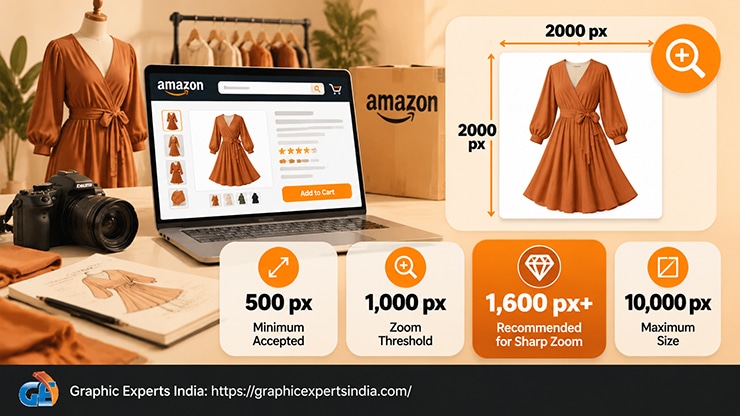
Amazon measures product images by the length of the longest side in pixels. Three numbers define the range. The zoom threshold is 1,000 pixels: an image must be at least 1,000 pixels on its longest side for Amazon’s zoom-and-pan feature to activate on the detail page.
The recommended size is 1,600 pixels or larger on the longest side, which gives a sharper zoom. The maximum is 10,000 pixels on the longest side.
Amazon will accept an image as small as 500 pixels on the longest side, but zoom stays disabled below 1,000 pixels, so 500 pixels is a floor to avoid rather than a target. Upload at 1,600 pixels or more and zoom is guaranteed. Most sellers standardize on a 2,000 × 2,000-pixel square, which clears the zoom threshold with margin and keeps every gallery image uniform.
What aspect ratio should Amazon images use?

A 1:1 square is the standard and the safest choice. Square images display without cropping across search thumbnails, the detail page, and mobile, where most Amazon traffic now sits. Amazon allows aspect ratios up to 5:1 at the widest, but a non-square image can be letterboxed or awkwardly cropped in some placements, so square avoids surprises.
Shooting or exporting to a square canvas also fixes the fill rule at the same time. When the frame is square and the product fills 85% of it, the item reads clearly at thumbnail size. The resize image for amazon step squares the canvas, centers the product, and sets the fill in one pass.
What file formats and file size does Amazon accept?
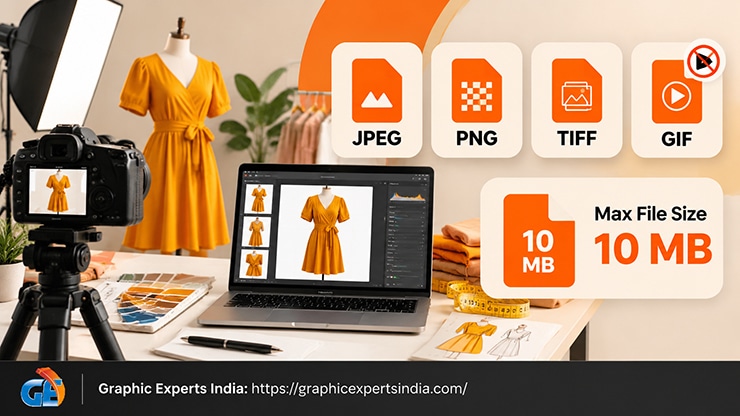
Amazon accepts four formats — JPEG, TIFF, PNG and GIF — and prefers JPEG for product photography. JPEG gives the best balance of quality and file size for photographic images. PNG is useful during editing because it preserves a transparent background, but the final upload is normally flattened to JPEG on white. GIF must be non-animated.
The file must stay under 10 MB. A 2,000-pixel JPEG at high quality lands well inside that limit, so the cap rarely bites unless a file is saved as an uncompressed TIFF or a very large PNG. If a file exceeds 10 MB, re-export it as a JPEG at quality 10–12 rather than shrinking the pixel dimensions, so you keep the zoom resolution while cutting the megabytes.
What color mode does Amazon require?

Color mode must be sRGB or CMYK, and sRGB is the better choice for a listing. sRGB is the color space web browsers and screens assume, so an sRGB file looks the same on Amazon as it did on your monitor.
A file left in Adobe RGB or a wide-gamut space can shift toward dull or off colors once Amazon displays it, which breaks the accurate-representation rule. Converting to sRGB on export is a one-click step that keeps product color true.
Does Amazon care about DPI or resolution?
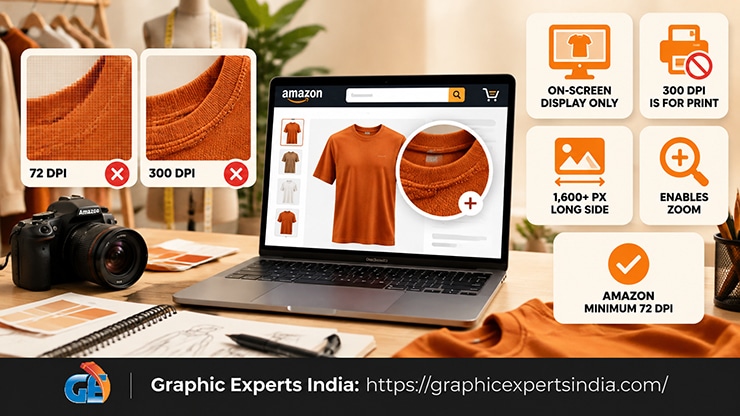
Not for display. The “300 DPI” figure repeated across the web is a print specification and has no effect on an on-screen Amazon listing. Dots per inch describe how an image prints on paper; a screen renders pixels directly, so only the pixel dimensions decide how large and how sharp the image appears, and whether zoom works.
Amazon’s stated minimum is 72 dpi, and an image at 72 dpi and 2,000 pixels wide zooms exactly as well as the same image labelled 300 dpi. Chasing 300 dpi adds nothing; hitting 1,600 pixels or more on the longest side is what matters.
How many images at this spec does a listing need?

A listing can hold up to nine images plus one video, with the first seven shown on the live listing, and every one of them should meet the specs above. Uniform sizing across the gallery keeps the images consistent as a buyer swipes through them. The slot-by-slot plan for how many images a listing can have covers what belongs in each position.
How Graphic Experts India delivers export-ready files
Hitting every spec by hand across a whole catalogue is slow; Graphic Experts India does it at scale. The resize image for amazon service squares the canvas, sets the product to 85% fill, exports at 1,600 pixels or larger, and converts to sRGB JPEG under 10 MB — a file that uploads clean and zooms on the first try.
For the full gallery, amazon photo editing handles background, retouching and sizing together.
Editing starts at $0.39 per image, turnaround averages 24 hours, every file clears a three-step quality check, and the first edits are free with no credit card. Before export, confirm the main image also meets the main image requirements for white background and content.
Frequently asked questions
At least 1,600 pixels on the longest side is recommended, and 1,000 pixels is the minimum to enable zoom. Most sellers use a 2,000 × 2,000-pixel square. The maximum is 10,000 pixels, and files must stay under 10 MB.
1,000 pixels on the longest side. Below that, Amazon disables the zoom-and-pan feature even though the image still uploads and displays. Upload at 1,600 pixels or larger to guarantee a sharp zoom.
A 1:1 square is standard and the safest. Amazon allows up to 5:1 at the widest, but square images display without cropping across search, the detail page and mobile.
No. DPI is a print setting and does not affect an on-screen listing. Only pixel dimensions determine zoom and sharpness. Amazon’s minimum is 72 dpi, and a 2,000-pixel image zooms the same at 72 dpi as at 300 dpi.
JPEG. Amazon accepts JPEG, TIFF, PNG and GIF, but prefers JPEG for product photos because it keeps quality high and file size low. Export the final image as sRGB JPEG under 10 MB.

Salim Ahmed is the CEO of Graphic Experts India, with over 25 years of expertise in photo editing, clipping path, image retouching, and eCommerce image editing services.