

The main API for retrieving Amazon product images is now the Creators API, which replaced the Product Advertising API (PA-API 5.0); sellers upload images to their own listings through the Selling Partner API (SP-API); and several third-party data APIs return image URLs outside Amazon’s official program.
Which one you use depends on the job: retrieving catalogue images, managing your own listing images, or pulling data at scale. This guide compares them, with the image fields each returns, and flags the 2026 change every developer needs to know.
The headline change: PA-API 5.0 is deprecated. Calls to it now return an HTTP 403 error, and the Creators API is its replacement. The sections below cover what that means and how images come back from each API.
For the rights that govern reusing any of these images, see can you use Amazon product images?.
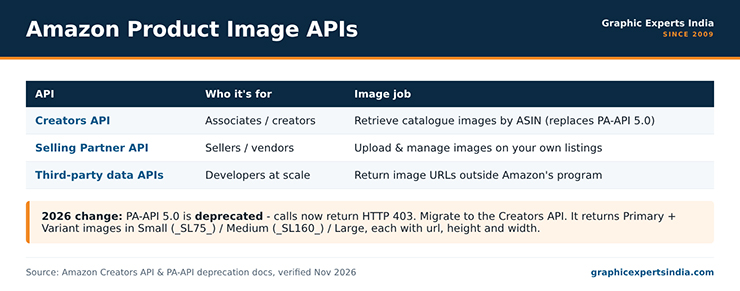
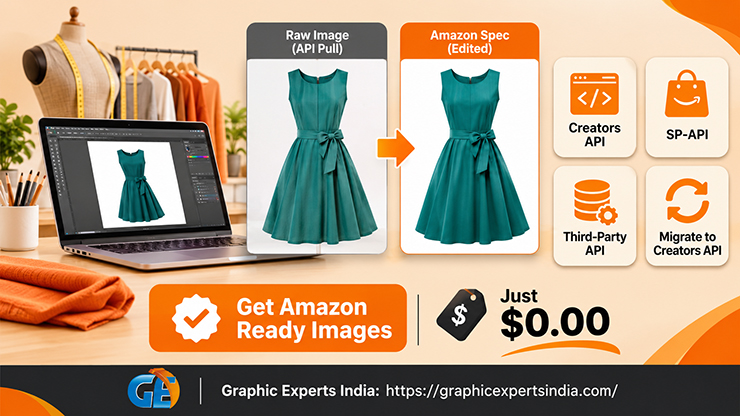
Figure 1. Amazon’s product image APIs compared (Creators API, SP-API, third-party).
Which Amazon API returns product images?
The Creators API is Amazon’s current API for retrieving product catalogue data, including images, for Associates and creators.
Amazon has deprecated the Product Advertising API 5.0, stating that it “has been deprecated and is being replaced by the Creators API,” and that applications still calling PA-API 5 receive an HTTP 403 AccessDeniedException. Any integration built on PA-API 5.0 must migrate to the Creators API to keep working.
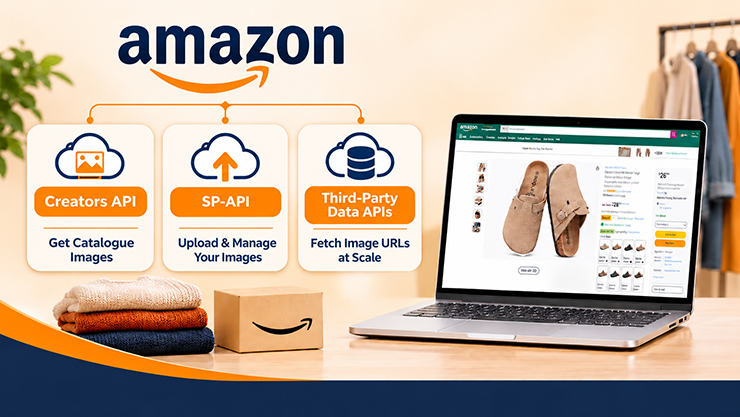
| API | Who it’s for | Image job |
|---|---|---|
| Creators API | Associates / creators | Retrieve catalogue images by ASIN (replaces PA-API 5.0) |
| Selling Partner API (SP-API) | Sellers / vendors | Upload and manage images on your own listings |
| Third-party data APIs | Developers at scale | Return image URLs outside Amazon’s official program |
The three serve different directions: the Creators API reads catalogue images, SP-API writes your own listing images, and third-party APIs read data outside Amazon’s program with the compliance questions that implies.
What images does the Creators API return?
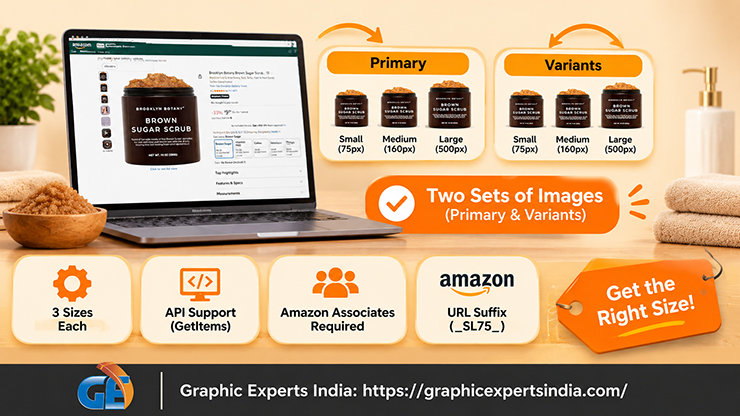
The Creators API returns each item’s images as two sets — Primary and Variants — each available in three sizes: Small, Medium and Large. You request image sub-resources for an ASIN, and each size comes back as an object with a url, a height and a width.
The sub-resources are named images.primary.small, images.primary.medium, images.primary.large, and the matching images.variants.* set for the alternate images.
The size is encoded in the URL suffix. Amazon’s documentation states the suffix number is “the number of pixels on the longest side of the image”: _SL75_ serves 75 pixels, _SL160_ serves 160, and the Large size in Amazon’s example is 500 × 500 with no suffix.
The Images resource is supported by the GetItems, GetVariationsItems and SearchItems operations, and access requires Amazon Associates membership with API credentials.
How do sellers upload images with SP-API?

Sellers upload and manage images on their own listings through the Selling Partner API (SP-API), not the Creators API.
Where the Creators API reads catalogue images, SP-API is the seller-facing interface for writing them: it lets a seller programmatically attach images to their own ASINs as part of listing management, which is how large catalogues automate image updates rather than uploading one by one in Seller Central. SP-API is for your own catalogue, under your seller credentials.
The manual equivalent — adding, changing and reordering images by hand — is in how to upload, change, reorder and delete Amazon product images. SP-API automates that same work for sellers at scale.
What about third-party data APIs?
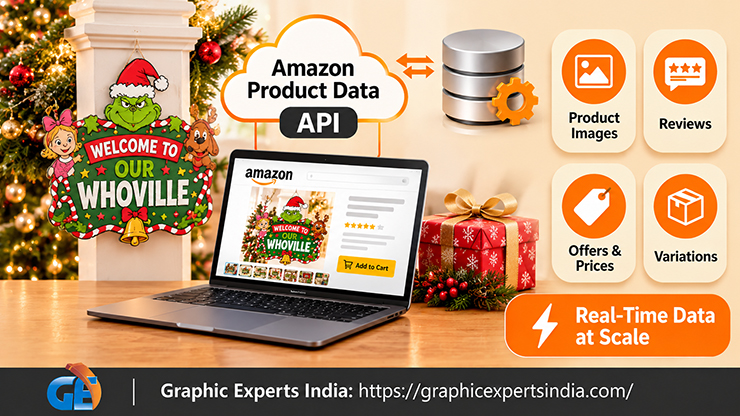
Several third-party data APIs — including Rainforest API, Bright Data, Oxylabs, SerpApi, DataForSEO, Zyte, Apify and ScraperAPI — return Amazon product data, including image URLs, for a given ASIN or search.
They exist because developers want catalogue data at scale without Amazon’s program constraints, and they market themselves on returning images, reviews, offers and variations in one call.
These services operate outside Amazon’s official program, so the same copyright and terms-of-service considerations apply to whatever you do with the images they return. Retrieving an image URL is not the same as holding the right to reuse the image, and Amazon’s own terms prohibit scraping and caching image files.
This guide names these APIs because sellers encounter them, not as an endorsement — evaluate each against Amazon’s terms and your own legal position before using one. The rights detail is in can you use Amazon product images?.
Which API should you use?
Match the API to the direction of the work. To display catalogue images as an Associate or creator, use the Creators API with a tagged link, within its licence. To manage images on your own listings, use SP-API under your seller credentials.
To pull data at scale from outside Amazon’s program, a third-party API may fit, but the compliance and copyright questions are yours to resolve. The one certainty is the migration: if you built on PA-API 5.0, move to the Creators API now, because the old endpoint already returns errors.
For getting individual image URLs by ASIN without writing an integration, see how to get and download Amazon product images and image URLs.
How Graphic Experts India fits an automated image workflow

An API delivers image URLs; it does not make the images compliant or consistent.
Graphic Experts India sits at the production end of an automated workflow: a seller pulls or manages images through an API, and sends their own source photos for editing to the Amazon standard — pure white background, 85% fill, zoom-ready sizing — before they go live.
The automation handles the plumbing; the editing makes the images convert.
The service hub is amazon photo editing. Editing starts at $0.39 per image, turnaround averages 24 hours, every file clears a three-step quality check, and the first edits are free with no credit card. Graphic Experts India has edited e-commerce product images since 2009.
Frequently asked questions
It is now the Creators API, which returns catalogue images by ASIN as Primary and Variant sets in Small, Medium and Large sizes, each with a url, height and width. It replaced the Product Advertising API (PA-API 5.0), which Amazon has deprecated; PA-API 5 calls now return an HTTP 403 error.
No. Amazon has deprecated PA-API 5.0, and calls to it return an HTTP 403 AccessDeniedException. The Creators API is its replacement for retrieving product catalogue data and images. Integrations built on PA-API 5.0 must migrate to the Creators API.
Sellers use the Selling Partner API (SP-API) to upload and manage images on their own listings, under their seller credentials. The Creators API reads catalogue images; SP-API writes images to your own ASINs for automated listing management.
Third-party data APIs such as Rainforest API, Bright Data and Oxylabs return Amazon product data including image URLs. They operate outside Amazon’s official program, so Amazon’s copyright and terms-of-service rules still govern what you may do with the images — retrieving a URL is not a licence to reuse the image.
Three sizes per image: Small (_SL75_, 75 pixels), Medium (_SL160_, 160 pixels), and Large (500 × 500 in Amazon’s example, no suffix). The suffix number is the pixels on the longest side. Each size returns a url, height and width.

Salim Ahmed is the CEO of Graphic Experts India, with over 25 years of expertise in photo editing, clipping path, image retouching, and eCommerce image editing services.