

T-shirt logo design is the process of creating a brand mark that reproduces cleanly in ink, thread or film on a garment, at sizes from a 2.5-inch left chest to a 12 × 16-inch full front.
A t-shirt logo differs from a screen logo in one way: the print method sets the rules. Direct-to-garment printing needs a 150 DPI PNG, screen printing charges one screen per color, embroidery allows six thread colors and letters no smaller than 0.25 inch, and direct-to-film rejects semi-transparent pixels.
This guide explains how to create logos for shirts under each rule, using the suppliers’ own published specifications: design rules by print method, dark-shirt and light-shirt versions, color limits, typography, mockup testing, what a t-shirt logo design template should contain, file formats, JPG-to-vector conversion, and what a DIY maker or a t-shirt logo designer costs.
All sources were read on 21 October 2026. The logo is one of the launch steps in the guide on how to start a t-shirt business.
What Is T-Shirt Logo Design at a Glance?
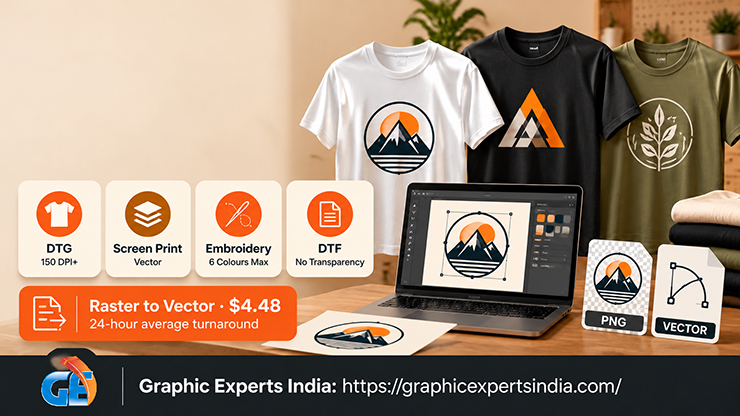
T-shirt logo design at a glance is a set of print-method rules applied to a brand mark before the first shirt is ordered.
| Question | Short answer | Source |
|---|---|---|
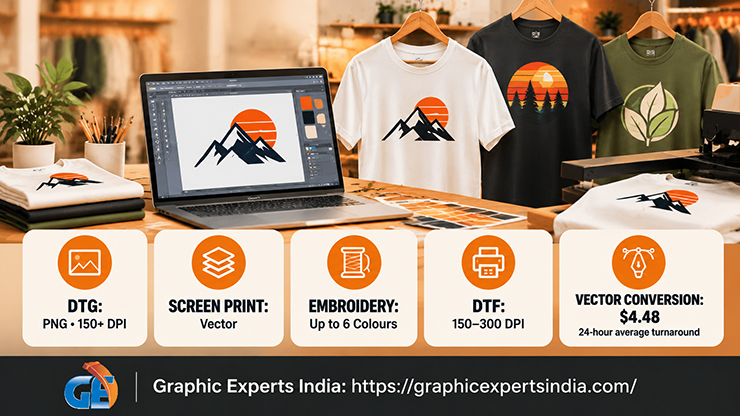
| What file does DTG printing need? | A PNG at 150 DPI or more in the sRGB IEC61966-2.1 profile; the printer converts it to CMYK | printful.com, creating a DTG file, read 21 October 2026 |
| How many pixels is a left-chest logo? | 375 px wide for 2.5 in and 750 px for 5 in at 150 DPI; a 12 × 16-in full front is 1,800 × 2,400 px | Calculated from Printful’s 150 DPI floor and placement sizes |
| How many colors can an embroidered logo use? | 15 thread colors available, up to six per placement; lettering ≥ 0.25 in tall and 0.05 in thick | printful.com blog, 1 September 2026 |
| Why does screen printing punish color? | “One screen per ink color, plus one for the white underbase on dark garments, is spread across your run.” | frenchpresscustom.com, prices updated 18 October 2026 |
| What file does a screen printer want? | A vector file: “Vector file types include AI, EPS, and PDF.”; raster files at least 200 dpi at full size | rushordertees.com, 14 November 2022 |
| What does a DTF file need? | “Submit files in PNG or JPEG format with 150–300 DPI.”; no semi-transparent elements | printful.com blog, 24 May 2024 |
| How is a JPG or PNG logo made print-ready? | Vector conversion at $4.48 per image, 24-hour average turnaround, delivered as AI, EPS, SVG or PDF | Graphic Experts India |
How Is a T-Shirt Logo Different From a Logo on a Screen?
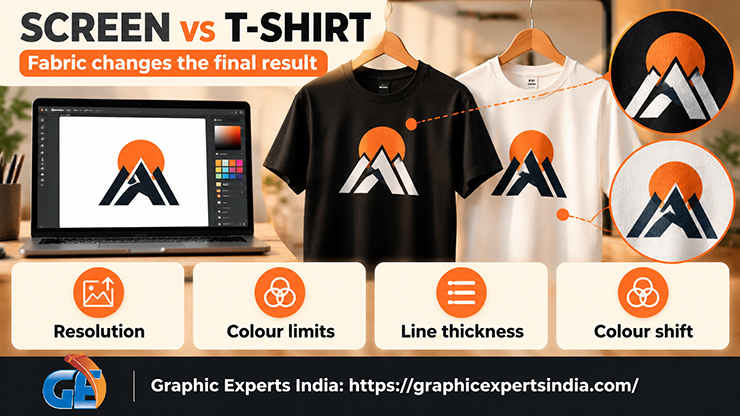
A t-shirt logo is different from a screen logo because fabric, ink and thread impose limits that a screen does not: a minimum resolution, a maximum color count, a minimum stroke width and a color shift between file and garment.
Printful states the last point directly: “Your printed design will never exactly match what you see on your screen,” and explains why: “Our printers then convert your submitted file into CMYK format.” and “Sometimes converting from sRGB to CMYK slightly changes colors,” (printful.com, creating a DTG file, read 21 October 2026).
Four constraints follow. Resolution is fixed by the physical size, so a logo that looks sharp at 400 pixels on a product page is too small for a 5-inch chest print. Color count is a cost in screen printing and a hard ceiling in embroidery.
Stroke width has a floor in embroidery and a practical floor elsewhere, because the weave softens thin lines. And garment color changes the print, because inks on dark fabric sit on a white underbase. The logo types, segment styles and brand examples are covered in the parent guide to Clothing Brand Logo Design; this guide applies them to the t-shirt.
Which Design Rules Apply to Each T-Shirt Print Method?
Four print methods decorate most t-shirts, and each reads a logo file differently: direct-to-garment (DTG) prints a raster file, screen printing separates a vector file into one screen per color, embroidery digitises a vector or PDF file into stitches, and direct-to-film (DTF) prints a raster file onto film that is heat-pressed to the shirt.
The rules below come from Printful, Printify, RushOrderTees, French Press Custom and Rolled Up Tees. Where a supplier publishes no number, none is given.
How Do You Design a T-Shirt Logo for DTG Printing?
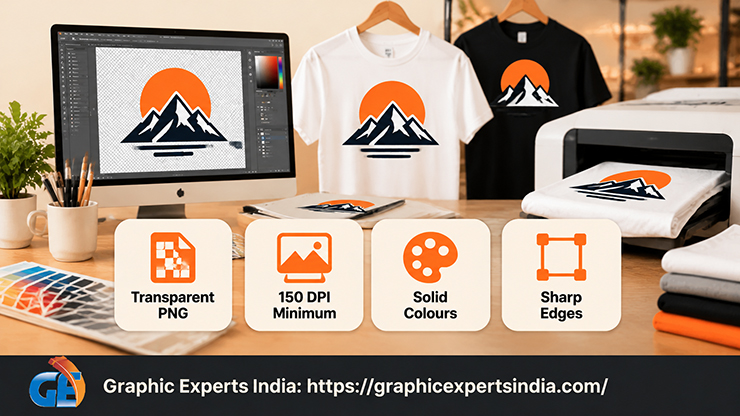
To design a t-shirt logo for DTG printing, supply a PNG with a transparent background at 150 DPI or more at the final print size, in the sRGB IEC61966-2.1 color profile.
Printful’s file page states: “For most Printful products, your print file has to be at least 150 DPI to ensure optimal print quality.” and adds that it is “best not to exceed 300 DPI” and that “JPG files don’t support transparent backgrounds, which means your design might be printed with a white background” (printful.com, creating a DTG file, read 21 October 2026).
Printify accepts “JPEG, PNG, and SVG” and recommends 300 DPI for JPEG and PNG (help.printify.com, read 21 October 2026). DTG also penalises soft effects: “Effects like drop shadows, fades, or other semi-transparent elements can appear grainy, faded, or even discolored” (help.printful.com, read 21 October 2026).
A t-shirt logo for DTG therefore uses solid fills and hard edges, and its pixel count scales with the placement, as the arithmetic below shows. DTG is the method behind most print-on-demand shirts, whose economics are set out in the guide to what print on demand is.
How Do You Design a T-Shirt Logo for Screen Printing?
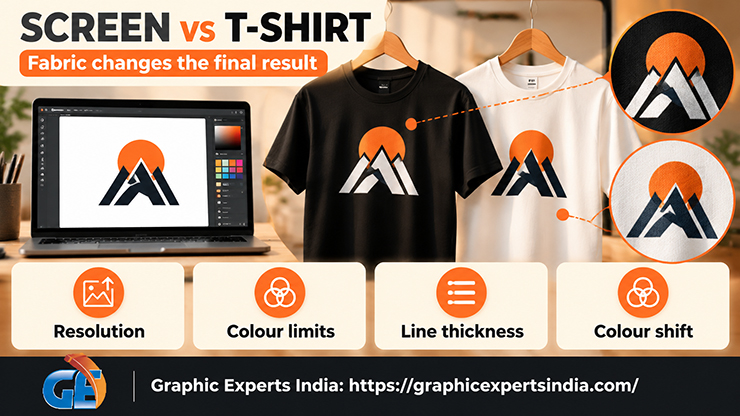
To design a t-shirt logo for screen printing, supply a vector file with each color as a separate solid spot color, because every color becomes a separate screen.
French Press Custom, a US screen printer, states the rule: “One screen per ink color, plus one for the white underbase on dark garments, is spread across your run.” and prices it: “Adding a color adds about $0.11 per shirt in bulk and about $1.14 per shirt at 36 pieces.” (frenchpresscustom.com, prices updated 18 October 2026).
Rolled Up Tees states the design consequence: “Photorealistic or gradient-heavy designs require more colors, which adds cost.” (rolleduptees.com, 21 March 2026).
The file requirement is vector: “Vector file types include AI, EPS, and PDF.” and, for raster submissions, “At RushOrderTees, we ask that submitted image files be at least 200 dpi at full size.” (rushordertees.com, 14 November 2022). Gradients are reproduced with halftones rather than extra screens: “Halftone is a screen printing technique that simulates shading through the use of dots.” (rushordertees.com help centre, read 21 October 2026).
No printer fetched for this guide publishes a minimum line weight for screen printing, so none is given; a two- or three-color logo with solid shapes avoids the question. Screen-print minimums and per-shirt prices by quantity are compared with DTG in the guide to how to make merch.
How Do You Design a T-Shirt Logo for Embroidery?
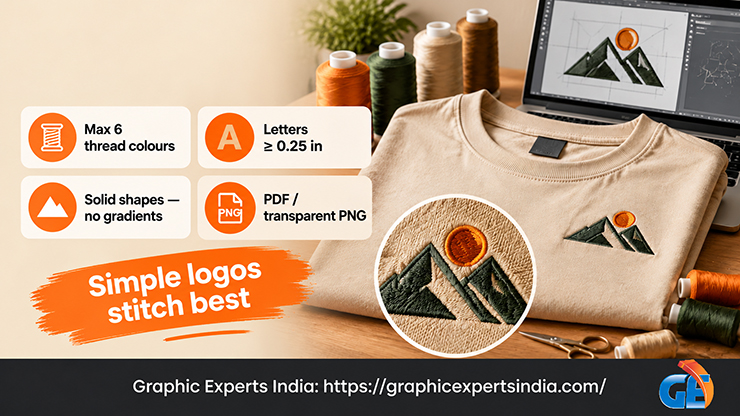
To design a t-shirt logo for embroidery, limit the mark to six solid thread colors, keep every letter at least 0.25 inch tall and 0.05 inch thick, remove gradients, and supply a PDF or transparent PNG for digitising.
Printful’s embroidery logo guide states: “Printful provides a curated selection of 15 thread colors, with up to six solid colors available per placement.” and “Keep lettering at least 0.25″ tall and 0.05″ thick.” It adds: “If you don’t use this option, avoid gradients entirely and stick to solid color blocks.” and “PDF and PNG are the best choices for embroidered logos.” (printful.com blog, 1 September 2026).
The same supplier’s graphics guide warns that “tiny embroidery designs (under 0.3″ thick) will count as blank products” (printful.com, graphics and embroidery guide, read 21 October 2026).
Digitising is a separate step: “Each embroidery type requires a separate digitized file.” and “Order 25+ embroidery products and we will digitize all your files for free.” (printful.com embroidery guidelines).
Printify explains why a raster input fails: “Raw JPGs fall short for machine plotting because they lack the mathematical precision needed for clean stitch lines” (printify.com knowledge hub, 28 May 2026). An embroidered t-shirt business logo is therefore the simplest lockup in the set, usually a monogram or symbol alone.
How Do You Design a T-Shirt Logo for DTF and Heat Transfer?
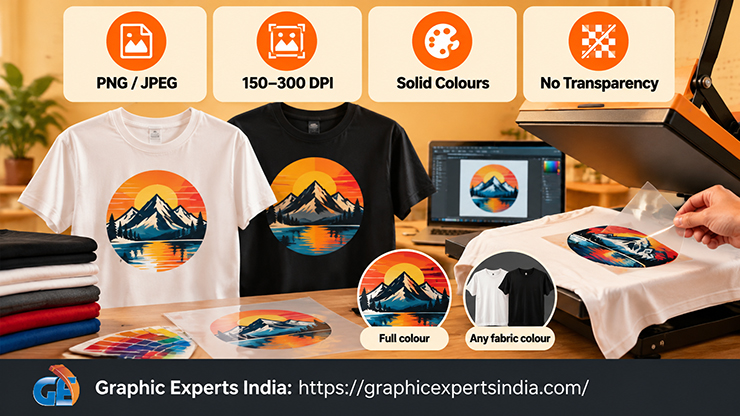
To design a t-shirt logo for DTF printing, supply a PNG or JPEG at 150 to 300 DPI with solid colors and no semi-transparent pixels.
Printful’s DTF guide states: “Submit files in PNG or JPEG format with 150–300 DPI.” and “Semi-transparent graphics (or elements with lowered opacity) don’t translate well in direct-to-film printing.” It also advises against “Small dots and narrow lines” and “black-on-black placement” (printful.com blog, 24 May 2024).
Printful’s help centre lists 300 DPI for its DTFlex apparel method against 150 DPI for DTG. Printify notes that DTF transfers use white ink, so “they can be applied to any color fabric” (help.printify.com, read 21 October 2026). Rolled Up Tees adds that DTF offers “Full color at any quantity with no setup fees per color.”
Heat transfer is listed by Rolled Up Tees as the method for “One-offs, custom names and numbers (sports jerseys, individual personalization)”. No supplier fetched for this guide publishes a file or line-weight specification for cut-vinyl transfer, so a seller using vinyl should ask the transfer supplier for its minimum cut width.
Which Spec Matrix Summarises the T-Shirt Logo Rules by Print Method?
The matrix below combines print method, file type, resolution, color limit and minimum text size into one check, using only figures published by the suppliers named above. “Not published” means no supplier fetched for this guide states that figure.
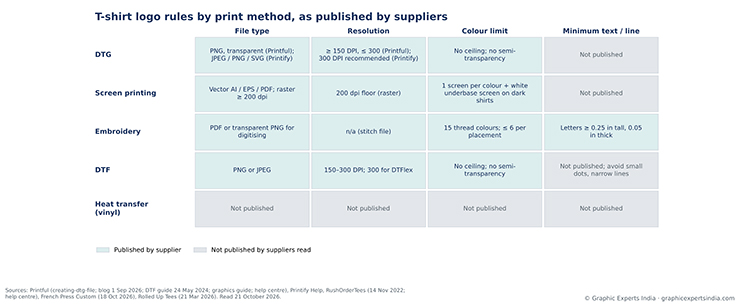
Figure 1. T-shirt logo specifications by print method: file type, resolution, color limit and minimum text size, from Printful, Printify, RushOrderTees, French Press Custom and Rolled Up Tees, read 21 October 2026.
| Print method | File type | Resolution | Color limit | Minimum text or line size | Source |
|---|---|---|---|---|---|
| DTG | PNG, transparent background (Printful); JPEG, PNG or SVG (Printify) | ≥ 150 DPI, not above 300 (Printful); 300 DPI recommended (Printify) | No stated ceiling; semi-transparent effects print poorly | Not published; “Don’t use thin lines or intricate designs” (Printful graphics guide) | Printful; Printify |
| Screen printing | Vector AI, EPS or PDF; raster ≥ 200 dpi at full size | 200 dpi floor for raster | One screen per ink color, plus one for the white underbase on dark shirts | Not published | RushOrderTees; French Press Custom |
| Embroidery | PDF or transparent PNG for digitising | Not applicable; stitch file produced by digitising | 15 thread colors; ≤ 6 per placement | Lettering ≥ 0.25 in tall and 0.05 in thick; designs under 0.3 in thick count as blank | Printful blog 1 Sep 2026; Printful graphics guide |
| DTF | PNG or JPEG | 150–300 DPI (Printful); 300 DPI for DTFlex | No stated ceiling; no semi-transparent elements | Not published; avoid “Small dots and narrow lines” | Printful DTF guide 24 May 2024 |
| Heat transfer (vinyl) | Not published by the suppliers fetched | Not published | Not published | Not published | Rolled Up Tees (use case only) |
The pixel arithmetic converts the 150 DPI floor into file sizes for the published placements. A 2.5-inch left-chest logo needs a file at least 375 pixels wide, a 5-inch chest needs 750 pixels, and a 12 × 16-inch full front needs 1,800 × 2,400 pixels.
At 300 DPI, the DTFlex and Printify figure, those double to 750, 1,500 and 3,600 × 4,800 pixels. A 1,000-pixel logo saved from a website therefore prints at a maximum of 6.67 inches wide at 150 DPI and 3.33 inches at 300 DPI.
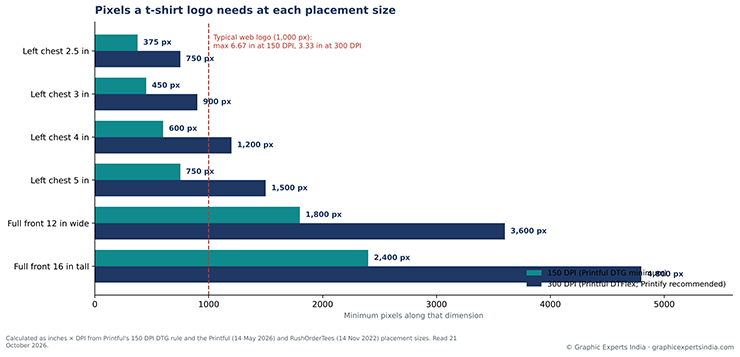
Figure 2. Minimum pixel width per placement at 150 DPI and 300 DPI, calculated from Printful’s DTG file rule and the Printful and RushOrderTees placement sizes, read 21 October 2026.
How Do You Make a T-Shirt Logo Work on Dark and Light Shirts?
To make a t-shirt logo work on dark and light shirts, create two versions of the mark, one for light garments and one for dark, and test both over a white underbase.
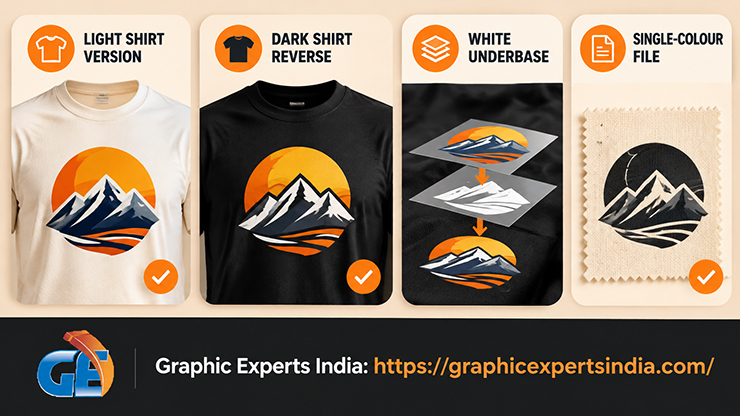
Printful explains why one version is not enough: “When printing directly onto dark or colored fabrics, inks are partially transparent.” and “Without a white layer underneath, colors can appear muted, washed out, or inaccurate” (help.printful.com, white underbase, read 21 October 2026).
The underbase changes the print: on dark garments “the final printed design is a mixture of your original colors and white”, and for black-on-black designs, “That’s because the white underbase changes how the black is printed.”
Printify gives the design response: “On black garments and other dark colors, switch to high-contrast, bold line work” and warns that “If your artwork features heavy gradients, transparent shadows, or ultra-fine details, the underbase can cause a thick, plastic-like hand-feel or blurry edges.” (printify.com knowledge hub, 22 May 2026).
Negative space is the second decision. A logo that uses white as a color, such as a white symbol inside a black circle, prints on a white shirt as a black circle with a hole, and on a black shirt as an underbase shape with a visible edge. The dark-shirt version therefore inverts the mark or adds a keyline.
The practical set for a t-shirt logo is three files: full color for light shirts, a reversed version for dark shirts, and a single-color version for screen printing and embroidery on either.
How Many Colors Should a T-Shirt Logo Use and How Do You Match Them?
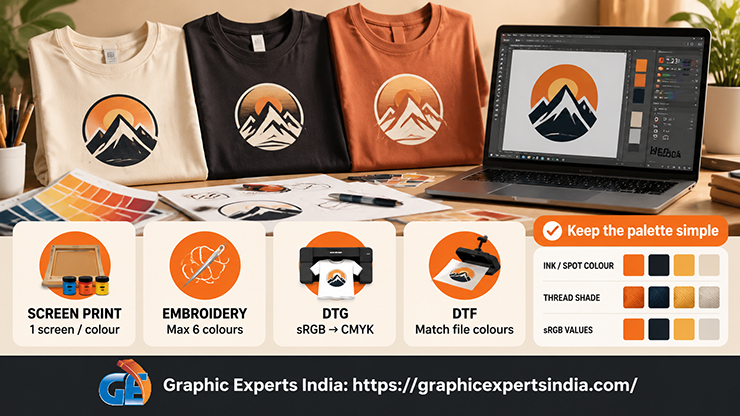
A t-shirt logo should use the fewest colors that still identify the brand, because each method prices or caps color differently: screen printing adds a screen per color, embroidery stops at six thread colors per placement, and DTG and DTF print any count but shift the hue through CMYK conversion.
The verified ceilings are the “15 thread colors, with up to six solid colors available per placement” for embroidery, “One screen per ink color” for screen printing, and “Sometimes converting from sRGB to CMYK slightly changes colors,” for DTG.
Color matching therefore happens at the file stage. A screen printer mixes ink to a spot-color reference, an embroiderer matches to a fixed thread chart, and a DTG or DTF printer converts the file’s sRGB values.
A t-shirt logo file set therefore records each brand color three ways: a spot-color or Pantone reference for ink, the nearest thread shade for embroidery, and sRGB values for DTG and DTF. The color family that suits a fitness or streetwear label is covered in the guide to how to start a fitness clothing line.
How Do You Keep T-Shirt Logo Typography Legible at a Distance?
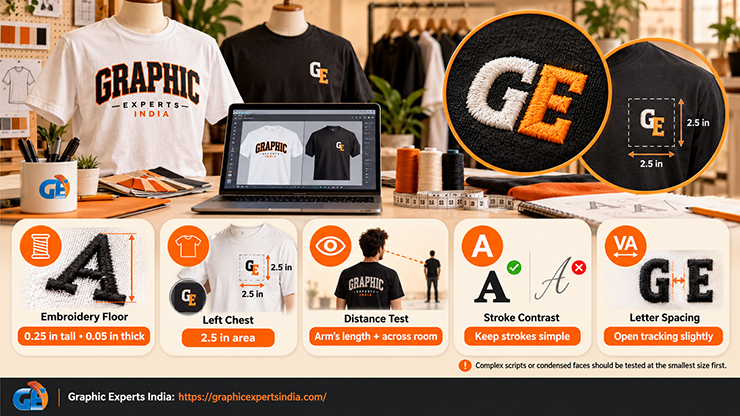
To keep t-shirt logo typography legible, set the wordmark so that its smallest letters stay above the embroidery floor at the smallest placement, and test the result at arm’s length and across a room. The only published numeric floor among the suppliers read for this guide is the embroidery rule: “Keep lettering at least 0.25″ tall and 0.05″ thick.” (printful.com blog, 1 September 2026).
At a 2.5-inch left chest, that rule leaves room for one line of lettering alongside a symbol, which is why most logos for t-shirts carry the wordmark on the full front and the symbol or monogram on the chest.
Three typographic choices follow. Stroke contrast is kept low, because thin strokes below 0.05 inch at chest size vanish in thread and soften in ink.
Letter spacing is opened slightly, because weave and ink spread close small counters. And script or condensed faces are tested at the smallest size first, since the same guide warns that “Complex designs with tight lines or small design elements may need to be simplified to stitch cleanly on fabric.”
How Do You Test a T-Shirt Logo on a Mockup Before Printing?
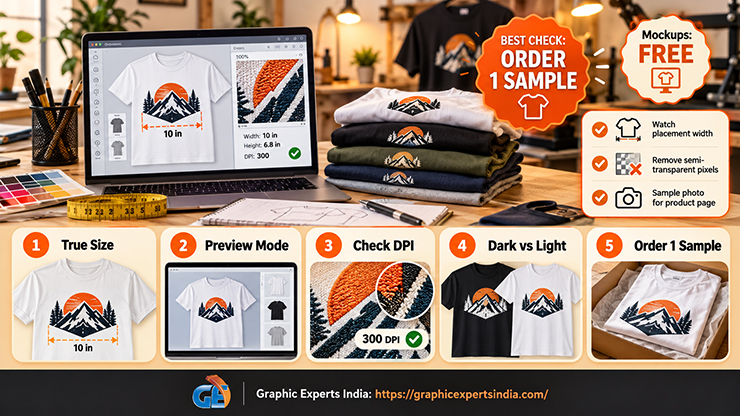
To test a t-shirt logo before printing, place the final file on a supplier mockup at the true placement size, switch on the print-preview mode where one exists, and order one sample before the first batch. Printful’s mockup generator states: “All mockups for Printful products are totally free.” (printful.com/mockup-generator, read 21 October 2026).
Its help centre describes a Design Maker preview under which “the mockup will dynamically adjust to closely reflect how the final physical print will appear”, which simulates the underbase on dark garments. Its placement guide adds: “Always review your mockups carefully before publishing.” and “exact positioning will vary based on t-shirt size.” (printful.com blog, 14 May 2026).
A mockup check covers four items: logo width in inches against the placement range, pixel dimensions against the DPI floor at that width, the dark-shirt and light-shirt versions on matching garments, and any semi-transparent pixel left in the file. A physical sample then checks what a mockup cannot: color after CMYK conversion, the hand-feel of the underbase, and the thread rendering of small letters. Photographing that sample for a product page is covered in the guide to t-shirt photography ideas.
What Should a T-Shirt Logo Design Template Contain?
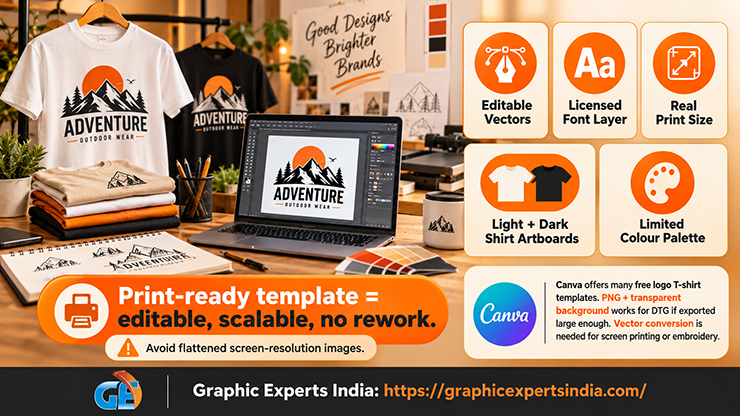
A t-shirt logo design template should contain editable vector shapes, a type layer with a licensed font, an artboard at the real print size, separate light-shirt and dark-shirt artboards, and a limited color palette, so that the exported file passes the print rules above without rework. A template that supplies only a flattened image at screen resolution fails the first rule, because the file cannot be scaled to a full-front print.
Free template libraries exist. Canva’s logo t-shirt templates page lists “Showing 50 of 693” templates, described as “logo designs you can customize and print from Canva’s free templates” (canva.com/t-shirts/templates/logo/, read 21 October 2026).
Canva’s clothing logo maker instructs users to “Set the file type to PNG before hitting Download.” and to tick the “Transparent background” option (canva.com/create/clothing-logos/, read 21 October 2026). That output is a PNG, so a Canva template logo meets the DTG rule if the download is large enough for the placement, and needs vector conversion before screen printing or embroidery.
Shared templates cannot be made exclusive, so the name and mark are searched before use; the search is covered in the guide to Clothing & T-Shirt Brand Name Ideas.
Which File Formats Does a T-Shirt Logo Need, and How Do You Convert a JPG or PNG to Vector?
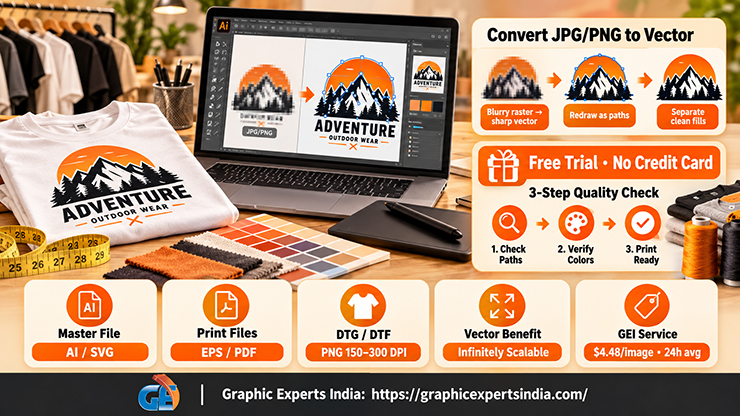
A t-shirt logo needs one vector master file plus raster exports: AI or SVG as the master, EPS and PDF for screen printers and embroiderers, and transparent PNG at 150 to 300 DPI for DTG and DTF.
RushOrderTees states the reason: “The key feature of vector files, which makes them so valuable for printing, is that they are infinitely scalable” (rushordertees.com, 14 November 2022). A logo that exists only as a JPG or PNG, as most template-maker logos do, must be converted before a screen printer can separate colors or an embroiderer can digitise it.
To convert a JPG or PNG logo to vector, the mark is redrawn as paths in a vector program, manually with the pen tool or by auto-tracing followed by manual correction, and the colors are separated into named fills.
RushOrderTees’ answer to whether there is an easy conversion is “Not really”, with the note that free online tools carry the warning “Results may vary.” Auto-tracing a 500-pixel PNG produces wavy edges and extra anchor points, which print as visible bumps at full-front size. Graphic Experts India performs the redraw as its raster to vector service at $4.48 per image, with a 24-hour average turnaround and a three-step quality check.
The service page describes the task: “Logo vector conversion transforms a blurry or low-quality raster logo into a clean, sharp vector file.” The delivered package is an editable AI, EPS, SVG or PDF file with each color on its own fill, which a screen printer can split into screens and an embroidery digitiser can read as stitch regions. A free trial on a sample logo is available without a credit card.
Should You Use a DIY Logo Maker or Hire a T-Shirt Logo Designer?
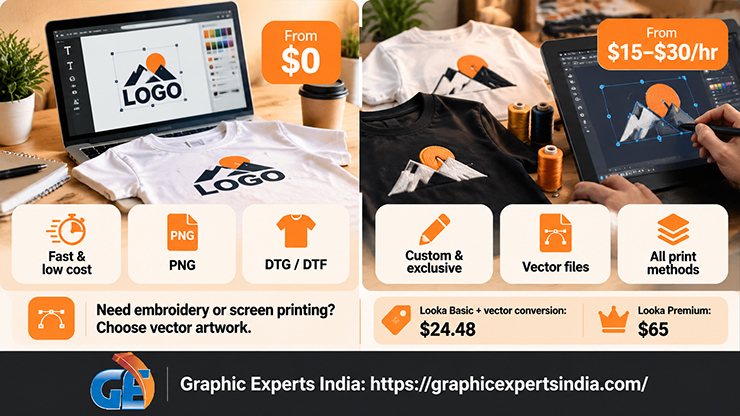
A DIY logo maker suits a t-shirt business that will print by DTG and needs a wordmark quickly, while a t-shirt logo designer suits a brand that will screen print or embroider, needs an exclusive symbol, or needs the dark-shirt and light-shirt versions built from the start.
The decision turns on whether the output is a vector file and whether the mark is exclusive. Prices were read on each company’s own site on 21 October 2026, except Looka’s, which come from its help center article dated 24 September 2021 because its pricing page does not print prices.
| Route | Published price | Output | Vector file? | Suits which print method |
|---|---|---|---|---|
| Canva template | Free templates; download as PNG | PNG with optional transparent background | No | DTG and DTF, if the download is large enough |
| Fiverr logo gig | Gigs listed “From $5” to “From $65” | Varies by seller; Fiverr lists “SVG Logo design” and “PNG Logo design” categories | Varies | Depends on the files delivered |
| Looka Basic Logo Package | “$20 USD” | “one PNG logo file” | No | DTG and DTF |
| Looka Premium Logo Package | “$65 USD” | “multiple logo files and variations”; the pricing page lists PNG, EPS, SVG and PDF | Yes | All methods |
| Upwork freelance designer | “$15–$30/hr”, median $25 | Custom design to a brief | Agreed in the contract | All methods |
| 99designs logo contest | “US$249” Bronze, “US$399” Silver, “US$799” Gold, “US$1,050” Platinum; “Prices exclude Sales Tax.” | About 30, 60, 90 and 60 concepts | Winner’s files transferred | All methods |
| Existing raster logo + Graphic Experts India vector conversion | $4.48 per image | AI, EPS, SVG or PDF | Yes | All methods |
Two calculations follow from the table. A $20 Looka Basic PNG plus a $4.48 vector conversion costs $24.48 and yields a print-ready vector, against $65 for Looka Premium, so the cheapest vector route is the combination.
An Upwork designer at the $25 median rate reaches the $249 Bronze contest price at about ten hours, the point at which a briefed designer who also builds the dark-shirt version and the embroidery lockup becomes cheaper per usable file than a contest.
Where the logo sits in the launch budget, alongside blanks, samples and store fees, is covered in the guide to how to sell t-shirts online.
Where Should the Logo Go on the Shirt?
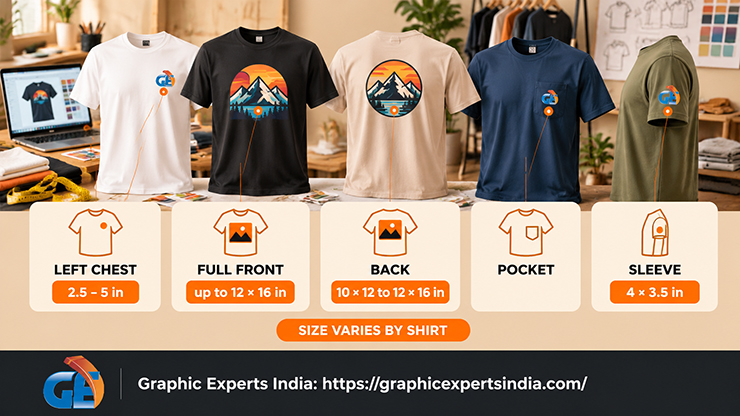
A t-shirt logo goes on one of five standard placements, and the placement sets the size that every rule above is tested against. Printful puts a left-chest design at “between 2.5″ × 2.5″ and 5″ × 5″”, a full front of 12″ × 16″ on most Printful t-shirts, a back print at “10″ × 12″ to 12″ × 16″, depending on the product”, and a sleeve at “4″ × 3.5″” (printful.com blog, 14 May 2026).
RushOrderTees gives the screen-print standards as a left chest “typically 3” to 4” wide”, a full front of “12”w x 14”h” and a full back of “12” wide by 14” high” (rushordertees.com, 14 November 2022). Neither supplier sizes a pocket print.
The placement-by-placement measurements, with positions for left chest, full front, back, pocket and sleeve by garment size, are set out in the companion T-Shirt Logo Placement & Design Size Chart.
What Do T-Shirt Sellers Ask Most Often About T-Shirt Logo Design?
To create a logo for a t-shirt, choose the print method first, design the mark as solid vector shapes in six colors or fewer, keep lettering at least 0.25 inch tall and 0.05 inch thick, build a light-shirt and a dark-shirt version, test both on a mockup at the real placement size, and export a vector master plus a 150 to 300 DPI transparent PNG.
A t-shirt logo file should be at least 150 DPI at the printed size, per Printful’s DTG rule. That means 375 pixels wide for a 2.5-inch left chest, 750 pixels for a 5-inch chest and 1,800 × 2,400 pixels for a 12 × 16-inch full front. At 300 DPI, which Printful lists for DTFlex and Printify recommends, those figures double.
A JPG logo can be used for DTG or DTF printing if it meets the 150 to 300 DPI requirement, but it prints with a white box unless the background is removed, because JPG has no transparency. Screen printing and embroidery need a vector file, so a JPG logo is converted to AI, EPS, SVG or PDF first, at $4.48 per image at Graphic Experts India.
A t-shirt logo should have as few colors as the brand allows. Embroidery at Printful allows up to six thread colors per placement from a set of 15. Screen printing uses one screen per ink color plus a white underbase screen on dark shirts, so each color adds cost. DTG and DTF print any number of colors but shift hues during CMYK conversion.
A free t-shirt logo design template is good enough for DTG or DTF printing when the download is a transparent PNG large enough for the placement. Canva lists 693 logo t-shirt templates and exports PNG. A template logo is not exclusive, and it needs conversion to vector before a screen printer or embroiderer can use it.
Where Can a T-Shirt Business Get Its Logo Converted to a Print-Ready Vector File?
A t-shirt business can send a JPG, PNG or scanned logo to Graphic Experts India and receive an editable vector file with separated colors, ready for screen-print separation, embroidery digitizing and full-front DTG or DTF output.
Graphic Experts India lists logo vector conversion at $4.48 per image, background removal from $0.39 per image, e-commerce retouching from $0.99 per image, color correction from $0.99 per image and ghost mannequin editing from $1.49 per image, each with a 24-hour average turnaround and a three-step quality check.
The company has served e-commerce retailers, photographers and apparel brands since 2009. A free trial on sample files, with no credit card required, is available through the vector conversion services page.

Salim Ahmed is the CEO of Graphic Experts India, with over 25 years of expertise in photo editing, clipping path, image retouching, and eCommerce image editing services.